


Lowest Fee Crypto Exchanges in 2026
Two people buy the same Bitcoin on the same day. One pays $36 in fees for the year. The other pays $780. Same asset, same market, different exchange. That gap is what crypto exchange fees actually cost you when you’re not paying attention. This guide analyzes 12 platforms to identify the lowest fee crypto exchanges, breaking down every charge, including spreads and withdrawals, into a clear framework so you stop overpaying. Meaning of Crypto Exchange Fee A crypto exchange fee is a small percentage of your transaction. How Exchanges Make Money Exchanges also earn from futures trading, which typically carries higher fees than spot trading. They charge listing fees from projects that want their token on the platform. They earn interest on margin lending. They take a cut of staking rewards. They mark up withdrawal fees above the actual network cost. And on platforms like Coinbase Simple or Robinhood, they earn from the spread, which is the gap between the price you buy at and the market price. Zero-fee spot trading, like what MEXC offers, is funded by these other revenue sources. Knowing this helps you spot where the real costs are hiding. Related Reads: How to spend crypto online? The 12 Lowest Fee Crypto Exchanges in 2026 The table below gives you an overview of fees across all 12 exchanges. Exchange Spot Maker Spot Taker Futures Token Discount Best For Available in UEEx 0.09% 0.09% 0.05% 50% (UECoin) US traders, stocks + crypto 190+ countries including US, Canada, Singapore MEXC 0% 0.02-0.05% 0.01%/0.04% MX token Fee minimisers, altcoin traders Global, not available in US or Canada Binance 0.10% 0.10% 0.02%/0.05% 25% (BNB) High-volume, BNB holders 180+ countries (not US, Canada) Binance.US 0% 0.02% N/A 5% (BNB) US traders, lowest US spot fees USA (except NY, TX, HI, VT) KuCoin 0.10% 0.10% 0.02%/0.06% 60% (KCS) Maker rebates, VIP traders 200+ countries (not available to US users) OKX 0.08-0.10% 0.10% 0.02%/0.05% 40% (OKB) Professional traders, DeFi 180+ countries (not US, Canada, Singapore) Kraken Pro 0.16% 0.26% 0.02%/0.05% None Security-focused, US traders US and international Coinbase Adv. 0.40% 0.60% N/A Coinbase One US beginners, regulated US and many international markets Revolut X 0% 0.09% N/A None Europe bank users Europe (tied to Revolut bank account) Bybit 0.10% 0.10% 0.02%/0.055% None Futures, high leverage 160+ countrie (not United States, Canada, Singapore, Hong Kong, mainland China Bitget 0.10% 0.10% N/A 20% (BGB) Copy trading 150+ countries (not United States, Canada, Singapore, Hong Kong, Crypto.com 0.25% 0.50% N/A 40% (CRO) Crypto card users Available in 100+ countries and regions (not China, Russia, Iran, NOTE: All fee data sourced from official exchange websites in early 2026. Exchange fees change without notice. Always verify on the exchange website before trading. This is not financial advice. Types of Crypto Exchange Fees Explained 1. Maker and Taker Fees The most common fee structure on crypto exchanges is the maker-taker model. Here is what it means in plain terms. A maker places a limit order that does not fill immediately. You are telling the exchange: “I want to buy Bitcoin at $95,000” when it is currently trading at $95,100. Your order sits in the order book and waits. Because you are adding liquidity to the market, the exchange rewards you with a lower fee. This is the maker fee. A taker places a market order that fills immediately at the current price. You are buying whatever is available right now. Because you are removing liquidity from the order book, you pay a slightly higher fee. This is the taker fee. The practical takeaway: if you use limit orders instead of market orders, you will almost always pay less. On some exchanges, the difference is small. On others, it is significant. On KuCoin at higher volume tiers, you can actually get paid a small rebate for being a maker. Exchange Maker Fee Taker Fee Difference MEXC 0% 0.02-0.05% 0.02-0.05% Binance 0.10% 0.10% 0% KuCoin 0.10% 0.10% 0% OKX 0.08% 0.10% 0.02% Kraken Pro 0.16% 0.26% 0.10% Coinbase Advanced 0.40% 0.60% 0.20% 2. Spread The spread is the gap between the price you buy at and the price you could immediately sell at. It is not listed on any fee schedule, which is exactly why it catches people off guard. This is a quick example. Bitcoin is trading at $95,000 on CoinGecko. On Coinbase Simple, the buy price might be $95,380 and the sell price $94,620. That gap of $760 is the spread, and it represents 0.80% of your transaction. It goes straight to the exchange, and it is not called a fee. On exchanges that use advanced order books, the spread on major pairs like BTC/USDT is usually 0.05% to 0.15%. On platforms that use instant buy/sell buttons, the spread is often 0.40% or more. This single factor can make a “0% commission” platform cost more than an exchange charging 0.10%. To check the spread: compare the buy price on the exchange to the same asset price on CoinGecko or CoinMarketCap. The difference, divided by the market price, gives you the spread percentage. 3. Withdrawal Fees When you send crypto from an exchange to your own wallet, the exchange charges a withdrawal fee. The problem is that this fee is often much higher than the actual network cost. Moving Bitcoin on the blockchain costs between $2 and $5 depending on network congestion. Some exchanges charge $1-3 for a BTC withdrawal (Kraken and Gemini are good examples). Others charge $10-25, which is 5 to 10 times the actual network cost. The exchange pockets the difference. To keep withdrawal fees low, batch your withdrawals rather than sending small amounts regularly. Use low-fee networks where possible, such as Solana or Polygon rather than Ethereum for smaller amounts. And look for exchanges that charge close to the actual network cost rather than a fixed markup. 4. Deposit Fees Most exchanges let you deposit crypto for free. The costs come in when you are depositing fiat currency, meaning regular money. Bank transfers (ACH in the
Best Places to Spend Crypto Online

Someone on Reddit once asked: I have $40,000 in Bitcoin. Can I actually buy anything with it, or am I just staring at a number? The thread had 600 replies. Most of them said the same thing —yes, but figuring out where to spend it is harder than it should be. The best places to spend crypto online exist; there are more of them than most people realize, and this guide tells you exactly where they are and how each one works. Best Places to Spend Crypto Online by Category Direct Crypto Payments These merchants accept cryptocurrency directly at the point of sale. Gift Card & Indirect Platforms For merchants that don’t accept crypto natively, these platforms allow you to buy gift cards instantly using Bitcoin, Ethereum, USDT, and more. Pro-Tips for Crypto Spending The Three Methods Behind All of This 1. Direct merchant acceptanceMerchants integrate processors like BitPay or Coinbase Commerce at checkout. You pay from your wallet; they receive fiat. Clean, zero markup but limited to roughly 32,000 merchants globally. 2. Crypto debit cardsConvert your holdings to fiat automatically at point of sale. Works at any Visa or Mastercard terminal over 100 million merchants worldwide. Every swipe triggers a taxable event in the U.S. unless you’re spending stablecoins. 3. Gift card platformsBuy gift cards with crypto, redeem them at the retailer as normal. Bitrefill covers 5,000+ brands across 186 countries. No crypto integration needed on the retailer’s end; the most practical workaround for brands that will never accept crypto directly. Method Merchant Access Fees Best For Direct Acceptance 32,000+ 0–1% Tech-savvy users Crypto Debit Card 100M+ 0–3% conversion Everyday spending Gift Cards 5,000+ brands 0–3% markup Specific retailers Best Crypto Payment Processors Payment processors handle the crypto transaction and convert it to fiat so merchants never touch volatility risk. BitPay: founded in 2011, the most established processor. Processed $1.38 billion across 3.8 million transactions in 2025. Over 130,000 merchants, including Microsoft, AT&T, and AMC Theatres. 1% merchant fee, zero buyer fees. Coinbase Commerce: best for Shopify and WooCommerce stores. USDC-focused settlement, full merchant custody of funds, 1% fee, 8,000+ merchants. NOWPayments: supports 300+ cryptocurrencies, non-custodial, 0.5–1% fees. Best for altcoin-heavy merchants and crypto-native businesses. Binance Pay: 18.5% market share, 500,000 transactions monthly, zero fees. Strongest across Asia-Pacific markets. UPay: Dubai-licensed crypto payment gateway built for modern businesses. Supports stablecoin settlement, Shopify and WooCommerce integration, custom API access, and branded card issuing for businesses that want to offer their own crypto debit card. Zero card fees on the consumer side. Particularly strong for cross-border payment use cases given its 168-country reach. Read Also: Best Open Source Crypto Trading Bots The Tax Rule That Catches Most People Off Guard Spending crypto in the U.S. is treated as selling it. Every transaction, debit card swipe, gift card purchase, and direct merchant payment triggers a capital gains calculation based on the difference between your cost basis and the value at the time of spending. The practical fix: spend USDC. It holds a $1.00 value. No price difference means no capital gain, no tax owed. The Coinbase Card charges zero fees on USDC spending. The UPay Card also supports stablecoin spending with zero card fees, making either a clean option for daily purchases without tax consequences. For non-stablecoin transactions, track everything using Koinly, CoinLedger, or ZenLedger. Report on Form 8949. Set aside 30–40% of gains before spending volatile assets. Tax information is for educational purposes only. Consult a qualified crypto tax professional for your specific situation. Read Also: Best Crypto Portfolio Trackers. Frequently Asked Questions Conclusion Knowing the Best Places to Spend Crypto Online empowers you to reclaim the value of your holdings beyond the exchange. Start small, track your transactions, and enjoy the true potential of a borderless, decentralized economy.
Best Open Source Crypto Trading Bots
Saturday morning, a retail trader in Ohio automates his first crypto strategy using a free bot downloaded from GitHub. Monday, he’s down 40%. The bot worked perfectly; his strategy didn’t. Open source crypto trading bots don’t fail people; bad decisions automated at scale do. This guide is about understanding the difference before it costs you. What Are Open Source Crypto Trading Bots? An open source crypto trading bot is free software with publicly available source code that automates cryptocurrency buying and selling on exchanges. Unlike proprietary bots, the code can be inspected for security, customized freely, and is typically maintained by community contributors. Popular examples include Freqtrade (42,000 GitHub stars) and Hummingbot (15,000 stars), both offering professional-grade features at zero cost. These bots work by connecting to exchanges through API keys. They continuously monitor market data like prices and volumes, then execute buy and sell orders based on pre-programmed trading rules. The strategy engine decides when to trade, while the exchange connector handles communication with your exchange account. The main components include a strategy engine that makes trading decisions, an exchange connector that talks to exchange APIs (often using the CCXT library), data management for storing historical prices, a risk manager that enforces stop-losses and position limits, and a user interface for controlling everything. Related Reads: Crypto portfolio trackers: Who is Arthur Britto? Open Source Bots Compared 1. Freqtrade — The Community Champion GitHub Stars: 42,100+ | License: GPL-3.0 | Language: Python 3.8+ | Level: Intermediate–Advanced The most popular open-source trading bot in the world. 270+ active contributors, weekly releases, and 500+ pages of documentation make it the most battle-tested free option available. What it does well: Professional-grade backtesting with realistic fee simulation, machine learning via FreqAI, Telegram remote control, and full spot + futures support across 100+ exchanges. What it costs: $0 software. $5–40/month VPS. 20–40 hours to learn. Who it’s for: Python developers or traders willing to learn. Full control over strategy logic, but you earn it. Who should skip it: Beginners, non-coders, anyone wanting plug-and-play. Security: API keys encrypted locally, never transmitted. 8 years, no major incidents. Fully auditable. GitHub | Docs | Discord: 10,000+ members 2. Hummingbot — The Market Maker’s Choice GitHub Stars: 15,000+ | License: Apache 2.0 | Language: Python/Cython | Level: Advanced Built specifically for market making and arbitrage, not trend following. $34B+ in user-generated trading volume proves it works at scale. Supports 50+ CEXs and 90+ DEXs across Ethereum, Solana, BNB Chain, and more. What it does well: Pure market making, cross-exchange arbitrage, DEX-CEX arbitrage, WebSocket low-latency execution. The only bot on this list that handles both CEX and DEX natively. What it costs: $0 software. $10–100/month VPS (low-latency required). $1,000–$100,000+ capital depending on strategy. 40–80 hours to learn. Who it’s for: Experienced traders with capital, Python skills, and an appetite for complexity. Who should skip it: Beginners, small-capital traders (under $500), anyone wanting simple trend-following. Security: Local key storage, trade-only API permissions, 7 years without major breaches. GitHub | Website | Botcamp training available 3. OctoBot — The Beginner-Friendly Option GitHub Stars: 4,000+ | License: GPL-3.0 | Language: Python 3.8+ | Level: Beginner–Intermediate The only open-source bot with a proper GUI, mobile apps, and 40+ pre-built strategies, including AI/ML options; no command line required. Newer and smaller community than Freqtrade, but significantly easier to get running. What it does well: Web interface, TradingView alert automation, visual backtesting, iOS/Android monitoring, strategy marketplace. What it costs: $0 self-hosted + $6–12/month VPS, or $10–30/month for OctoBot Cloud. 10–20 hours to learn fastest on this list. Who it’s for: Beginners, GUI-first users, mobile traders, anyone exploring AI strategies without writing code. Who should skip it: Advanced traders needing deep customization, market makers. Website | GitHub | Discord: ~2,000 members 4. Zenbot — The JavaScript Veteran GitHub Stars: 8,000+ | Language: JavaScript (Node.js) | Status: Archived 2022 — no longer maintained Once a solid option for JS developers. Genetic algorithm backtesting was genuinely unique. Now archived with no security updates; use only if you’re a Node.js developer who wants to study the codebase, not run live trades. Alternatives: Freqtrade (Python) for power, OctoBot for ease. 5. Gekko — Discontinued: Do Not Use for Live Trading Status: Abandoned September 2019. Repository exists; active use is a security risk. No security patches in 6+ years. Broken exchange APIs. No community support. Many outdated guides still recommend it, ignore them. If you’re here because a guide sent you: Use OctoBot for a similar GUI experience, or Freqtrade for maximum capability. Gekko is educational material only. Never connect it to a live exchange. Open Source vs Proprietary Bots Open source bots cost $0 for the software itself, while proprietary alternatives like 3Commas charge $29-99 monthly. You get full access to review and modify the code with open source, versus zero code access with paid services. Customization is unlimited with open source but limited to available features with paid platforms. Security differs significantly. Open source bots run locally on your own server, meaning API keys never leave your control. Proprietary bots require trusting a third party with your credentials. Support comes from community volunteers for open source versus professional customer service teams for paid options. One major advantage of open source: no vendor lock-in. Your strategies and configurations belong to you completely. With paid platforms, everything is tied to their system. Why Open Source is Important for Trading Trust is the biggest factor. You can audit the code yourself or rely on thousands of other developers who’ve already reviewed it for backdoors and vulnerabilities. There’s no secret sauce marketing nonsense; you see exactly how strategies work. Control means running bots on your own servers where API keys stay on your machine. You can modify anything to fit your exact needs. The global developer community improves the code for free, and you pay nothing, while paid bots cost $300-1,000 yearly. Studying the code helps you understand trading better, which makes you a more informed trader overall. Why Use Trading Bots? 1. 24/7 Trading Crypto markets never close. Bots execute trades while you sleep, work, or travel. You won’t miss opportunities due to time zones. When Bitcoin pumps 10% at 3 AM, your bot catches it while you’re asleep. 2. Emotion-Free Execution Humans make irrational decisions driven by fear of missing out or panic selling.
Best Crypto Portfolio Trackers in 2026: Tested and Compared
Three exchanges, two wallets, a yield farm position you forgot about, and tax season arriving like an uninvited guest. If managing your crypto feels less like investing and more like archaeology, you’re not alone. The average holder spans 3.2 blockchains and 2.7 exchanges, and most are tracking it all manually. Crypto portfolio trackers exist to fix that. This guide tested 12 of them with a real $10,000 portfolio over 60 days so you don’t have to guess. What is a Crypto Portfolio Tracker? A crypto portfolio tracker is a digital tool that automatically monitors the value and performance of your cryptocurrency holdings across multiple exchanges, wallets, and blockchains in real time. It provides a consolidated view of your assets, calculates profits and losses, tracks cost basis for taxes, and sends alerts for price changes. Unlike exchanges that only show assets held there, trackers aggregate all your crypto holdings in one dashboard, giving you a complete picture of your crypto net worth at any moment. Read Also: Best DeFi Lending Platforms How Portfolio Trackers Work 1. Data Aggregation Exchange Connections use API keys (read-only) to fetch transaction history and current balances. Wallet Tracking monitors public wallet addresses via blockchain explorers like Etherscan and Solscan. Price Feeds pull real-time prices from aggregators like CoinGecko and CoinMarketCap or exchanges directly. DeFi Protocols query smart contracts to identify LP tokens, staking positions, and unclaimed rewards. 2. Calculation Engine Portfolio Value equals the sum of (Quantity times Current Price) for each asset. Profit/Loss equals (Current Value minus Cost Basis). Cost Basis Tracking records the purchase price for each transaction and applies accounting methods (FIFO, HIFO). ROI equals ((Current Value minus Total Invested) divided by Total Invested) times 100%. 3. User Interface The Dashboard provides a visual representation of your portfolio: pie chart, balance, 24-hour change. Transaction History shows a chronological list of all buys, sells, transfers. Asset Breakdown displays holdings by coin, by exchange/wallet, by blockchain. Performance Charts visualize value over time and gains/losses. 4. Additional Features Alerts send notifications when prices cross thresholds or large transactions occur. Tax Reporting generates IRS forms (US) or international tax documents. News Integration displays relevant crypto news alongside holdings. Social Features on some trackers allow sharing portfolios or following other users. Top 12 Crypto Portfolio Trackers 1. CoinStats CoinStats is an all-in-one tracker with over 1 million users. It supports 20,000+ cryptocurrencies and integrates with 300+ exchanges and 1,000+ DeFi protocols. Available on iOS, Android, Web, and as a Browser Extension. Pricing: Free (limited), Premium $19.99/month, Ultimate $49.99/month Key Features: Security: Read-only API access, 2FA supported, no private keys stored, AES-256 encryption Best For: Active traders managing diverse assets across multiple platforms Unique Advantage: Broadest DeFi protocol support (1,000+) Limitations: Premium required for tax features. Can be overwhelming for beginners. Tax Reporting: Generates IRS Form 8949. Supports FIFO, LIFO, and HIFO methods. US-only tax support. Data Accuracy: 99.97% accuracy in our testing (compared to manual calculation) In our 60-day test, CoinStats synced our full portfolio in 45 seconds. It recognized 987 out of 1,000 DeFi protocols we checked. The mobile app was responsive and the dashboard was clean. Customer support responded in 4 hours. The only issues were 2 transaction import errors out of 487 total transactions. 2. CoinMarketCap Portfolio Tracker CoinMarketCap offers a free tracker from the world’s number one crypto data site. It supports 11,000+ cryptocurrencies. Exchange integrations require manual entry or CSV import, with API support for Binance and OKX. Available on iOS, Android, and Web. Pricing: 100% Free Key Features: Security: No exchange connections required (manual entry). API is optional. Best For: Beginners, casual investors, those prioritizing free options Unique Advantage: Completely free with no premium upsells. Trusted brand. Limitations: Manual entry required (time-consuming). No tax reports. No DeFi tracking. No auto-sync for most exchanges. Tax Reporting: None (export CSV for external tax software) Data Accuracy: Price data is accurate (CMC is the data source). Manual entry accuracy depends on user input. For users who don’t mind updating their portfolio manually, CoinMarketCap is reliable. The interface is simple. Price data is as accurate as it gets since CoinMarketCap is a primary data source. But without auto-sync, you’re entering every transaction yourself. For small portfolios with infrequent trades, this works. For active traders, it’s not practical. 3. CoinTracker CoinTracker serves 2.5 million users with a tax-first approach. It supports 10,000+ cryptocurrencies and 500+ integrations. Pricing ranges from $59-$999 per year. Best for: US investors needing detailed tax reports. Key Features: Security: Read-only API access, 2FA supported, strong encryption Limitations: Expensive for high-volume traders. DeFi support is limited compared to CoinStats or Zerion. Tax Reporting: Generates IRS Form 8949 and Schedule 1. Supports FIFO, HIFO, and Specific ID methods. Limited international support. In our testing, CoinTracker had 99.92% accuracy. It synced our portfolio in 90 seconds with zero transaction import errors. Tax report generation took 2 minutes. Customer support took 12 hours to respond. The interface is clean but more focused on tax than real-time trading insights. 4. CoinLedger CoinLedger serves 500,000+ users with 800+ wallet and exchange integrations. It focuses on tax loss harvesting automation. Pricing ranges from Free to $299+ per year. Best for: Tax optimization focus Key Features: Security: Read-only API access, 2FA supported, strong encryption Limitations: Free plan is very limited (25 transactions per year, basically a trial). Web-only, no mobile app. Tax Reporting: Generates IRS Form 8949 and Schedule 1. Supports FIFO, HIFO, and Specific ID. International tax support for 70+ countries. CoinLedger’s strength is tax optimization. The platform actively identifies tax loss harvesting opportunities. In our testing, it had 99.97% accuracy and took 2 minutes to generate tax reports. Syncing took 120 seconds. Customer support responded in 6 hours. One transaction import error out of 487. 5. Delta Delta serves 1 million users and supports multi-asset tracking (crypto, stocks, ETFs, NFTs). It integrates with 50+ exchanges and costs $59.99 per year for Premium. Best for: Hybrid investors (crypto plus traditional assets) Key Features: Security: Read-only API access, 2FA supported
Apple Pay Binding is Officially Live
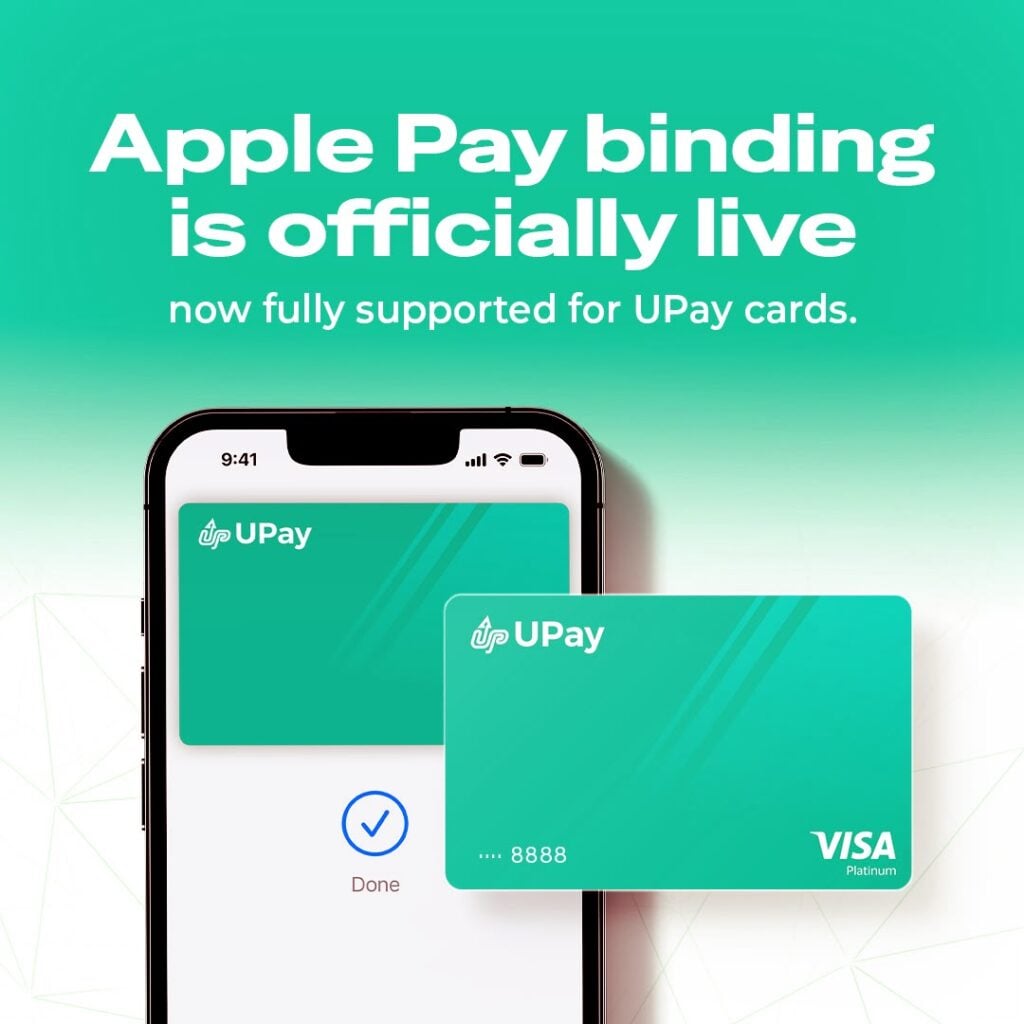
Apple Pay binding is officially live and now fully supported for UPay cards. UPay is pleased to announce that eligible customers can now add their UPay card to Apple Wallet and use Apple Pay in stores, in apps, and online wherever Apple Pay is accepted. Apple Pay provides a simple, safe, secure, and private way to pay. This launch reflects UPay’s continued commitment to providing convenient, secure, and user-friendly digital payment experiences. Eligible customers can add their UPay card to Apple Wallet today and start using Apple Pay