


A Complete Guide on How to Use UPay Card for AI Tokens.
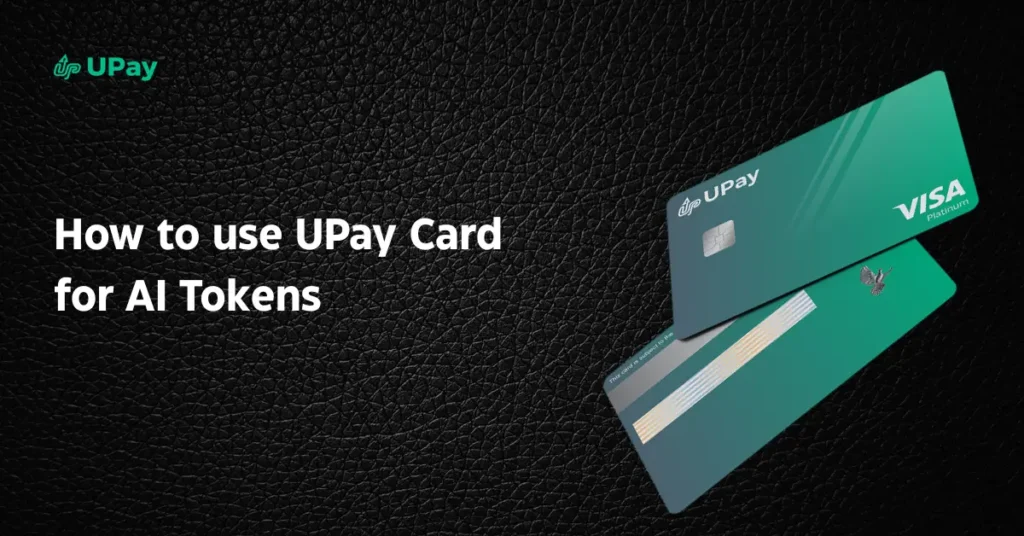
The UPay Card provides a convenient way to make online payments on supported platforms that accept international card payments. Whether you’re subscribing to an AI service or purchasing usage credits, you can use your UPay Card to complete eligible transactions securely. In this guide, you’ll learn how to use UPay Card for AI tokens, how the payment process works, where you may be able to use your card, and practical tips to help ensure successful payments. What Are AI Tokens? AI tokens are units that many artificial intelligence platforms use to measure and bill your usage. Instead of paying only a fixed monthly subscription, some AI services charge based on the number of tokens your requests consume. When you generate text, create images, translate content, or make API calls, the AI platform counts the tokens used to process your request. Generally, longer or more complex prompts consume more tokens than shorter ones. This usage-based model gives you greater flexibility because you only pay for the resources you use. It is commonly used by AI developers, businesses, and individuals who access AI through APIs or credit-based pricing plans. If you understand how AI tokens work, you can estimate your usage, manage your costs, and choose the right payment method for the AI services you use. Read Also: Beyond the Hype: Why Is Bitcoin So Expensive? Why Use UPay Card for AI Tokens? As more AI platforms adopt subscription and usage-based pricing, you’ll need a reliable way to pay for these services. The UPay Card allows you to spend supported digital assets for eligible online purchases through automatic crypto-to-fiat conversion during payment. This makes it easier to pay on supported platforms that accept compatible international card payments. Global Payment Accessibility Many AI tools are offered by international companies and process payments online. With your UPay Card, you can make purchases on supported merchants worldwide, helping you pay for eligible AI subscriptions or usage credits wherever compatible card payments are accepted. Spend Your Cryptocurrency for Everyday Payments The UPay Card allows you to use supported cryptocurrencies to pay for eligible online purchases. When you make a payment, UPay automatically converts your digital assets into fiat currency, allowing you to complete transactions smoothly through the card network. Enjoy a Secure and Convenient Payment Experience The UPay Card is designed to support secure online payments and is available in both virtual and physical formats. Whether you’re subscribing to an AI writing tool, purchasing API credits, or paying for an AI image generator, you can use your card to complete eligible transactions quickly and conveniently. How to Use UPay Card for AI Tokens 1. Create and Verify Your UPay Account Start by creating your UPay account and completing the required identity verification. This is part of the application process before you can request and use your UPay Card. 2. Apply for and Fund Your UPay Card After verification, apply for your UPay Card and fund your UPay wallet with supported digital assets. Before making any payment, ensure your UPay card is properly activated and loaded with a sufficient balance. Depending on the provider, funding can be done through fiat currency, crypto conversion, or supported wallets. Always confirm your available balance before proceeding to avoid transaction failures. 3. Choose Your AI Platform and Token Plan Next, select the AI tool you want to use. This could include chatbot platforms, AI writing assistants, image generation tools, or API-based services. Most platforms will display either subscription plans or token-based pricing, depending on usage. 4. Enter UPay Card Details at Checkout When you reach the payment page, select the card payment option. Input your UPay card details carefully, including the card number, expiration date, CVV, and billing information. Ensure the details match your UPay account to avoid declines. 5. Confirm Payment and Activate Tokens After submitting your payment, wait for confirmation. In most cases, AI tokens or credits are activated instantly. Once activated, you can begin using the platform for generating content, running prompts, or accessing API features based on your plan. 6. Start Using AI Services Efficiently After activation, monitor your token usage within the platform dashboard. This helps you understand consumption patterns and manage costs effectively, especially if you’re using multiple AI tools or running automated workflows. Read also: Top DeFi Protocols by Category: Banking Without the Bank. Platforms Where You Can Use UPay Card for AI Tokens 1. AI Writing and Productivity Tools You can pay for AI writing and productivity tools that run on subscription or credit systems. When you subscribe or buy credits, you simply enter your UPay card details at checkout and unlock access to features like content generation, editing, and automation. 2. AI APIs and Developer Platforms If you build with AI tools, you’ll often need API credits. You can use your UPay card to fund these accounts, activate billing, and start consuming tokens for your applications. This makes it easier for you to scale usage without banking limitations slowing you down. 3. AI Image and Creative Tools You can also use your UPay card on AI image generators and creative platforms. Once you purchase credits or a subscription, you immediately gain access to image generation, design tools, and creative workflows powered by AI tokens. 4. SaaS AI Automation Platforms Many automation tools charge monthly or usage-based fees. You can keep your workflows active by using your UPay card for recurring payments, so your AI-powered systems continue running without interruption. Tips for Successful Payments When Using the UPay Card for AI Tokens 1. Always Confirm Your Balance Before You Start Before you begin any checkout process, check your available balance. This helps you avoid interruptions during payment and ensures your transaction completes successfully on the first attempt. 2. Enable International Transactions Make sure your UPay card is activated for global online payments. Most AI platforms process payments internationally, so disabling this feature can lead to automatic declines. 3. Match Your Billing Details Exactly Always enter your card details exactly as they appear
How to Accept USDT Payments for Business: Everything You Need to Get Started.
A payment that should take seconds but sits in a bank queue for four days, losing 3% to fees somewhere in the middle. That gap between when money is sent and when a business actually has it is exactly what USDT closes. How to accept USDT payments for business isn’t a crypto trend. It’s a settlement upgrade. Here’s how to make it work. First things first: What Does It Mean to Accept USDT Payments for Business? At its core, accepting USDT is similar to accepting any other form of payment. When a customer chooses USDT at checkout, they transfer the required amount from their crypto wallet to the business’s designated wallet address or payment gateway. Once the blockchain confirms the transaction, the funds become available to the business. Depending on the payment setup, the merchant can keep the funds in USDT, convert them into fiat currency, or use them for other business-related transactions. Instead of relying solely on traditional payment methods such as bank transfers, debit cards, or credit cards, businesses can receive payments through blockchain networks. This enables faster transactions and broader access to customers worldwide. Stablecoins are relatively stable in value, easy to transfer, and widely used as settlement assets within crypto markets. Axel Schimmelpfennig and Bo Zhao One of the main reasons businesses are increasingly turning to USDT is its stability. Unlike cryptocurrencies such as Bitcoin or Ethereum, which can experience significant price fluctuations, USDT is pegged to the US dollar. This makes it easier for businesses to price products, manage revenue, and forecast cash flow without worrying about sudden changes in asset value. For growing businesses, manually managing crypto payments can quickly become inefficient. This is where crypto payment providers come in. Solutions such as UPay Business simplify the process by allowing businesses to receive USDT payments through a secure, non-custodial infrastructure. Read Also: Beyond the Hype: Why Is Bitcoin So Expensive? Why Businesses Are Adopting USDT Payments Benefit How It Helps Your Business Faster Transfers Settles in minutes instead of 1–5 bank days, improving cash flow and order delivery. Lower Fees Avoids expensive credit card processor fees, especially on low-cost networks like TRON. Global Reach Accepts payments from anywhere in the world without local banking friction. Price Stability Pegged 1:1 to the US Dollar, eliminating crypto volatility and simplifying accounting. Customer Flexibility Gives crypto-native users a direct, hassle-free way to pay. Simple Integration Connects easily via gateways like UPay using payment links, APIs, or QR codes. Is It Legal to Accept USDT Payments for Business? The legality of accepting USDT payments depends on the regulatory framework of each country, as different jurisdictions treat cryptocurrency differently. In most regions, USDT itself is not prohibited, but its use in business transactions is regulated under existing financial, tax, and anti-money laundering laws. This means businesses can generally accept USDT payments, provided they comply with local reporting and compliance requirements. In the United States, for example, cryptocurrency transactions, including USDT payments, are generally permitted. However, businesses are required to treat crypto income as taxable and report transactions to the Internal Revenue Service (IRS). The regulatory environment is overseen by agencies such as the Financial Crimes Enforcement Network (FinCEN), which applies anti-money laundering rules to certain crypto-related activities. For example, the European Union’s Markets in Crypto-Assets (MiCA) regulation has introduced stricter rules for stablecoins. Under these rules, several major exchanges have adjusted their services for European users. Under MiCA, crypto companies have to apply for licences from regulators in individual EU countries, which they can use as a “passport” to operate throughout the 27-nation bloc. Reuters Platforms such as Binance have reduced or removed USDT trading pairs in parts of the European Economic Area due to compliance requirements linked to MiCA. This does not mean USDT is illegal in the region. However, it means access through regulated exchanges may be limited or redirected toward alternative stablecoins that meet EU standards. In the United Kingdom, crypto assets are legal, but businesses must comply with rules set by the Financial Conduct Authority (FCA), particularly around anti-money laundering registration and financial promotions. The FCA requires crypto businesses and related service providers to meet strict compliance standards before offering services to the public. In Nigeria, cryptocurrency is not banned, and individuals and businesses can hold and trade digital assets. Since December 2023, the Central Bank of Nigeria has allowed banks to service crypto firms licensed by the Securities and Exchange Commission, lifting the restriction it placed on the sector in 2021. The Investments and Securities Act signed in 2025 now treats digital assets as securities under the SEC, and from January 2026 profits from crypto are taxable under the Nigeria Tax Administration Act. Read also: Top DeFi Protocols by Category: Banking Without the Bank. How to Accept USDT Payments for Business Choose a Reliable USDT Payment Solution The first step is selecting how you want to receive USDT payments. While some businesses choose to use personal crypto wallets, most prefer a structured payment solution that simplifies transaction handling and improves operational efficiency. A provider such as UPay allows businesses to accept USDT payments through a secure, non-custodial infrastructure. This means you retain control of your funds while benefiting from tools such as payment links, API integration, QR code payments, and real-time transaction tracking. These features reduce manual work and help ensure a smoother payment experience for customers. When choosing a provider, it is important to consider how well it aligns with your business needs, including ease of integration and security standards. Set Up Your Wallet or Merchant Account Once you have selected a payment solution, the next step is setting up your wallet or merchant account. This is where you will receive incoming USDT payments. During setup, a wallet address is generated for your business, or you are given access to a merchant dashboard if you are using a payment gateway. This dashboard typically helps you track payments, monitor balances, and manage transactions in one place. At this stage, security becomes essential. Enabling two-factor
How to Pay for Claude AI with a Crypto Card
Anthropic built one of the most capable AI assistants in the world. Then made it payable only by credit card. For millions of crypto-native users, that’s the most frustrating sentence in tech right now. The tool exists. The funds exist. The payment method just doesn’t speak the same language. A crypto card changes that, acting as a live translator between your digital assets and Claude’s billing system, converting one into the other at the exact moment you need it. Knowing how to pay for Claude AI with a crypto card is the difference between being locked out of a tool you should already be using and having it run on autopilot every month. Read Also: Best Instant Virtual Crypto Card Providers You Should Know. What is a Crypto Card? A crypto card is a payment card linked to your cryptocurrency holdings, allowing you to spend digital assets anywhere Visa or Mastercard is accepted. Instead of paying merchants directly with cryptocurrencies like Bitcoin or USDT, the card provider automatically converts your crypto into fiat currency at the point of sale. Crypto cards are available as both physical and virtual cards, making them suitable for in-store purchases and online subscriptions. Depending on the provider, you can fund your card with various cryptocurrencies and manage your balance through a mobile app. Additionally, you can even earn rewards on eligible transactions. Depending on your specific card provider, the conversion may happen automatically at the point of sale, or you may need to manually top up your card balance with fiat before making a purchase. Since merchants receive payment in their local currency, they don’t need to support cryptocurrency directly. How to Pay for Claude AI with a Crypto Card Choose and Fund Your Crypto Card Start by selecting a trusted crypto card provider, such as UPay card, that supports online international payments. Fund your card with supported assets such as USDT, USDC, Bitcoin, or Ethereum. Also, ensure you have enough balance for both the subscription and any conversion fees. Log In to Claude AI Next, sign in to your Claude AI account and navigate to the subscription page. Choose the Pro or Max plan depending on how much you expect to use Claude. Enter Your Card Details At checkout, input your crypto card information just like a regular debit or credit card. This includes your card number, expiry date, CVV, and billing address. Confirm Payment Once submitted, the transaction is processed instantly. Your crypto is converted to fiat in real time, allowing the payment to go through without requiring any manual exchange. Maintain Your Balance for Renewals Claude AI subscriptions renew automatically. To avoid service interruptions, ensure your crypto card remains sufficiently funded before each billing cycle. Read Also: Beyond the Hype: Why Is Bitcoin So Expensive? Why Use a Crypto Card for Claude AI? Using a crypto card for Claude AI payments is mainly about convenience and flexibility. Here are some reasons you should use a crypto card like the UPay card for Claude AI: 1. Smooth Access to Global Payments A crypto card makes it easier to pay for services like Claude AI, which rely on traditional card networks. Since Claude AI does not accept cryptocurrency directly, the card acts as a bridge, allowing you to spend your digital assets without needing to convert them manually. 2. Convenience for International Users For users in regions where access to international debit or credit cards is limited, crypto cards provide a practical alternative. Since they operate on Visa or Mastercard rails, they are widely accepted by global subscription services, including AI tools like Claude. 3. Instant Conversion and Automation One of the biggest advantages is automatic conversion. When you make a payment, your crypto is instantly exchanged into fiat currency at the point of sale. This removes the stress of timing the market or manually moving funds between exchanges, especially for recurring subscriptions. Smooth Subscription Management Crypto cards also support recurring payments, which is essential for ongoing subscriptions. As long as your wallet is funded, your Claude AI subscription continues without interruption or failed payments. Common Problems When Paying for Claude AI with a Crypto Card Here are some common problems you can encounter when paying for Claude AI with a crypto card: Payment Declines at Checkout A frequent issue users encounter is a failed or declined transaction at the payment stage. This often happens when the crypto card does not fully support international SaaS subscriptions or when the merchant is restricted by the card issuer’s risk policies. In some cases, even small mismatches in transaction verification can trigger an automatic decline. Insufficient Balance After Conversion Fees Another common challenge is having enough crypto in your wallet but still not completing the payment successfully. This is usually due to hidden conversion fees, network charges, or slight price fluctuations during real-time crypto-to-fiat conversion. These small differences can reduce the available balance just enough to cause a failed transaction. Merchant or Regional Restrictions Some crypto card providers impose limitations on specific platforms or regions. If Claude AI falls under a restricted merchant category in your card provider’s system, the payment may not go through even if your balance is sufficient. This is especially common with newer or less established crypto card services. Billing Information Mismatch Payment gateways are strict about verification. If the billing address entered during checkout does not match the details registered with your crypto card provider, the transaction may be rejected immediately for security reasons. Note: Check your card provider’s app to confirm the exact billing address associated with your virtual card, as it may differ from your personal address. Even minor inconsistencies can lead to failure. Failed Subscription Renewals While one-time payments often succeed, recurring billing can be more problematic. Some crypto cards do not reliably support automated renewals. This can result in unexpected interruptions to your Claude AI subscription if the card is not funded or properly configured. Read Also: Best Crypto Cards With Apple Pay and Google Pay Support