



Your CPU, if it is running at 80–100% for no obvious reason, your fans are constantly loud, or your computer feels sluggish even when idle, you may need to remove crypto mining malware from your device right now.
Cryptojacking malware runs silently in the background, stealing your CPU and GPU to mine Monero (XMR) for an attacker. It’s one of the most prevalent malware types in 2026, spread through phishing emails, compromised downloads, and malicious browser scripts.
The most common variant, XMRig, is detectable and removable using Malwarebytes, Windows Defender, or HitmanPro in most cases without data loss.
This guide covers the complete removal process for Windows, Mac, and browsers plus the exact tools that detect cryptominers that standard antivirus software misses.
Key Takeaways
- Crypto mining malware can hijack your computer’s resources to mine cryptocurrency, slowing your device down and increasing your electricity bill.
- Signs of infection include high CPU usage, overheating, slow performance, and unexpected pop-ups.
- Use anti-virus software, browser extensions, and network monitoring tools to detect and remove crypto-mining malware.
- Keep your software updated, clear your browsing data, and be cautious of suspicious links to avoid crypto mining malware infection.
What is Crypto Mining Malware?

Crypto Mining, also known as cryptocurrency mining, is a process where transactions for various forms of cryptocurrency are verified and added to the blockchain digital ledger.
It involves using computer processing power to solve complex mathematical problems that validate transactions. Miners are rewarded with cryptocurrency for solving these problems before others.
Crypto Mining Malware, on the other hand, is a type of malicious software that uses someone else’s computer to mine cryptocurrency without the user’s consent.
Unlike legitimate crypto mining, where miners use their resources, crypto mining malware exploits the resources of unsuspecting victims, which can lead to significant performance issues for the infected devices.
Also, where crypto mining is conducted openly and with the knowledge of the system owner, crypto mining malware operates covertly, using the infected system’s CPU and GPU power for the attacker’s benefit.
Related: Crypto Loans
The Evolution of Crypto Mining Malware
Crypto mining malware has evolved significantly since the inception of cryptocurrencies. Early versions were relatively straightforward and often involved deceptive tactics to trick users into installing mining software.
For example, they might have been bundled with legitimate software or disguised as popular apps.
However, as users and antivirus software became more adept at detecting these threats, the malware has become more sophisticated.
Modern crypto-mining malware can be spread through email attachments, embedded in websites, or even installed through other malware.
Some versions can even disable security software or use rootkit techniques to hide from detection.
Crypto mining malware differs from legitimate mining in two key ways:
1. Malicious Intent
The primary intent behind crypto mining malware is profit.
By harnessing the processing power of multiple infected computers, cybercriminals can mine cryptocurrencies with significant value, such as Bitcoin or Monero. The more machines they infect, the more money they can make.
However, the consequences for the victims can be severe. Infected computers may suffer from slowed performance, increased electricity usage, and reduced lifespan due to constant high CPU usage.
In some cases, the malware may also include additional payloads, such as ransomware or data theft.
For example, CoinHive, a notorious browser-based crypto miner, utilized JavaScript to mine Monero within users’ browsers without their knowledge.
There is also Trojan.BitCoinMiner, a file-based crypto-mining malware that installs itself on a victim’s system, and is often bundled with legitimate software.
2. Stealthy Operation
Crypto mining malware is designed to operate stealthily to avoid detection. It typically runs in the background, using a small amount of processing power to avoid impacting system performance and alerting the user. Some variants may also employ evasion techniques to avoid being detected by antivirus software.
They may only run when the device is idle, stop mining when certain resource-intensive applications are running, or adjust the amount of CPU usage based on the system’s total load.
Some may even employ rootkit techniques to hide their processes and files from the user and security software.
Some examples are Fileless Malware that operates in the system’s memory without leaving a footprint on the disk, making it harder to detect.
Also, Advanced Persistent Threats (APTs) use sophisticated evasion tactics, such as periodically turning off mining activities to avoid detection during scheduled scans.
Related: Proof of Reserve in Cryptocurrency: What Does it Mean?
How to Detect Crypto Mining Malware

Crypto mining malware can be sneaky, but there are signs that your computer might be harboring these unwanted guests. Let’s explore some red flags that warrant a closer look:
1. Unusual CPU Usage
This is a primary indicator of crypto mining malware. Your computer’s Central Processing Unit (CPU) is the brain that handles all the calculations and tasks you throw at it. Crypto mining malware hijacks this processing power to solve complex mathematical problems for cryptocurrency mining.
How to Monitor CPU Usage
Most operating systems have built-in task managers that allow you to monitor CPU usage. On Windows, open Task Manager (Ctrl+Shift+Esc) and look at the “CPU” column.
On Mac, open Activity Monitor (Applications > Utilities > Activity Monitor) and check the “CPU” usage.
What Abnormal CPU Usage Looks Like
A healthy CPU usage typically fluctuates depending on your activity. However, if your CPU usage consistently hovers around 80-100% even when you’re not running demanding programs, it could be a sign of crypto mining malware.
2. Overheating Devices
Crypto mining malware puts a constant strain on your computer’s CPU, leading to overheating. This can be a serious issue as excessive heat can damage your hardware and shorten the lifespan of your device.
Physical Signs of Overheating
Feel the case of your computer. If it’s unusually hot to the touch, especially when you’re not using it for intensive tasks, it could be overheating. Your computer’s fans may also start whirring loudly more frequently as they try to compensate for the increased heat.
Potential Risks of Overheating
Constant overheating can damage various internal components of your computer, including the CPU, graphics card, and motherboard. In severe cases, it can even lead to hardware failure.
3. Slow Performance and Lag
Since crypto-mining malware consumes a significant portion of your computer’s resources, it can significantly slow down your system’s overall performance. This can manifest in various ways:
Symptoms of Slow Performance
Opening programs, browsing the web, or even using basic applications might feel sluggish and unresponsive. Tasks that used to run smoothly might take noticeably longer to complete.
Impact on User Experience
This constant lag can be incredibly frustrating, hindering your productivity and overall user experience. Simple tasks become tedious, and waiting for your computer to catch up can disrupt your workflow.
4. Unexpected Pop-Ups
Some crypto mining malware might display intrusive pop-up ads or redirect you to suspicious websites. These pop-ups are not only annoying but can also be dangerous, potentially leading to phishing scams or malware downloads.
Symptoms of Unexpected Pop-Ups
You might see pop-up ads appearing out of nowhere, even when you’re not on any ad-heavy websites. These pop-ups could promote unfamiliar products or services, or even try to trick you into clicking on malicious links.
Potential Risks of Unexpected Pop-Ups
Clicking on these pop-ups could lead you to phishing websites designed to steal your personal information or download additional malware onto your device.
Read Also: Top 5 Legitimate Crypto Recovery Companies in 2025
5. Unexplained Increase in Electricity Bills
Crypto mining is an energy-intensive process. While the amount of electricity used by malware might not be significant daily, over time it can lead to a noticeable increase in your electricity bill. This is especially true if multiple devices are infected.
Crypto mining operations may now consume up to 2.3 percent of U.S. electricity, according to The Department of Energy’s Energy Information Administration (EIA).
This significant energy consumption by crypto mining operations can strain local electric grids, raise electricity rates for residents, and potentially lead to higher electricity bills for those with infected devices.
“In a survey by Check Point, 75% of IT professionals identified crypto mining malware as a top threat to their organization’s network security.”
How to Remove Crypto Mining Malware
Now that you’ve identified the signs and armed yourself with the right tools, it’s time to take action and remove the crypto-mining malware from your system. Here’s a step-by-step guide to help you reclaim your computer’s resources:
1. Quarantine and Delete Suspicious Files
If your antivirus software detects a threat, it will usually quarantine the file to prevent it from harming your system. You can then choose to delete the file. The steps to carry out include:
- Open your antivirus software and navigate to the quarantine section. This section typically lists suspicious files that the antivirus has flagged.
- Review the list carefully. Look for files with names related to mining or unfamiliar programs you haven’t installed.
- Select the suspicious files and choose the option to “Quarantine” or “Delete.” Quarantining isolates the files while deleting removes them permanently.
For example, if you see a file named “coinminer.exe” or “cryptojack.js” in the quarantine section, those are likely related to crypto mining malware and can be safely deleted.
2. Update and Run Antivirus Scans:
Keeping your antivirus software up to date is crucial as it ensures that it can detect the latest threats. Regularly running scans can help catch any malware that has infiltrated your system. The steps are:
- Ensure your antivirus software is updated to the latest definitions. Updated definitions allow your antivirus to detect and remove the newest malware threats.
- Once updated, perform a full system scan. This will scan your entire device for any potential malware, including crypto-mining software.
For Persistent Infections: Remove in Safe Mode (Windows)
If your antivirus detects the miner but cannot remove it during a normal scan or if the miner reappears after removal, the infection has likely established persistence.
Running the removal process in Safe Mode prevents the malware from loading at startup, making it removable.
How to boot Windows into Safe Mode with Networking:
- Hold Shift and click Restart from the Start Menu.
- Go to Troubleshoot → Advanced Options → Startup Settings → Restart.
- Press F5 for Safe Mode with Networking (needed to download tools).
- Once in Safe Mode, re-run Malwarebytes or Windows Defender Full Scan.
- After quarantine, navigate to regedit.exe → HKCU\Software\Microsoft\Windows\CurrentVersion\Run and delete entries pointing to unfamiliar executable paths.
- Reboot normally and confirm CPU usage is below 20% when idle.
For XMRig-based infections specifically, also check services.msc for suspicious services named after miners (e.g., ZephyrMiner, RigelMiner). Right-click → Stop → disable and delete.
Removing Crypto Mining Malware on Mac
Mac users are not immune to cryptojacking — particularly browser-based and fileless variants. Here is the Mac-specific removal process:
- Open Activity Monitor (Applications → Utilities → Activity Monitor). Click the CPU column to sort by usage. Look for processes consuming more than 50% CPU when the machine is idle — especially processes with unfamiliar names.
- Identify the process: Right-click the suspicious process → Open Files and Ports to identify its location. Note the file path.
- Remove the process file: Navigate to the file path in Finder and move the file to Trash. Empty Trash.
- Check Login Items: System Settings → General → Login Items. Remove any unfamiliar applications set to run on startup.
- Run Malwarebytes for Mac (free version available) for a full system scan. Alternatively, use CleanMyMac X which includes a dedicated malware removal module.
- Reset browser extensions: Safari → Settings → Extensions → remove any unknown extensions. Chrome and Firefox use the same extension managers as Windows.
Mac-specific cryptomining variants often masquerade as browser update prompts or Adobe Flash installer packages.
3. Check and Clean Registry Persistence Keys
Crypto miners especially XMRig-based variants add themselves to Windows startup registry keys so they reload after every reboot. Deleting the executable alone won’t stop this.
- Press Win + R, type regedit, and press Enter.
- Navigate to: HKCU\Software\Microsoft\Windows\CurrentVersion\Run
- Also check: HKLM\Software\Microsoft\Windows\CurrentVersion\Run
- Look for entries pointing to unusual executable paths (e.g., files in %AppData%\Roaming or C:\Users[Name]\Temp).
- Right-click any suspicious entries → Delete.
- Also open Task Scheduler (taskschd.msc) and check for scheduled tasks running unfamiliar executables.
If you are uncomfortable editing the registry manually, running Malwarebytes in Safe Mode will automatically clean these entries as part of its remediation process.
4. Clear Browser Cache and Cookies:
Cryptojacking scripts can sometimes persist in your browser cache or cookies. Clearing these can help remove the scripts. Here are the steps to follow:
- Open your web browser and navigate to the settings or preferences menu.
- Locate the section for privacy and security settings. Look for options to clear browsing history, cache, and cookies.
- Select the timeframe (e.g., all time) and clear your browsing data.
5. Reset Browser Settings
If you’re still experiencing issues after clearing your cache and cookies, you may want to consider resetting your browser settings. The steps are:
- In your browser settings, locate the option to reset settings to default. This will remove any extensions or modifications that might be associated with crypto-mining malware.
- Be aware that resetting browser settings will also remove any custom settings or extensions you’ve installed.
6. Disconnect From the Internet
Disconnecting temporarily from the internet can help prevent the malware from spreading or communicating with its command and control servers. Here are the steps to take:
- Disable Wi-Fi or unplug your ethernet cable.
- Perform the necessary malware removal steps while offline.
- Reconnect to the internet only after ensuring your system is clean.
7. Check and Monitor CPU Usage
After you’ve taken these steps, monitor your CPU usage to see if there’s still a significant amount of unexplained usage, which could indicate that the malware is still active. The steps are:
- Open your task manager (Windows) or Activity Monitor (Mac) as mentioned earlier in the guide.
- Monitor your CPU usage. If it remains high even after disconnecting from the internet and performing the previous steps, it might indicate the malware is more deeply embedded in your system.
8. Consider a System Restore (as a last resort)
If all else fails, you might want to consider a system restore. This will roll back your system to a previous state before the malware infection. Please note that this should be a last resort as it can result in the loss of recent data. They are:
- Access the System Restore feature from the control panel or system settings.
- Choose a Restore Point: Select a restore point from a date before the malware infection occurred.
- Restore the System: Follow the prompts to restore your system, which will restart your computer and revert it to the selected state.
If you’re unsure about any step or suspect a deeper infection, consider seeking help from a professional computer technician. They can provide advanced diagnostics and removal techniques to ensure your system is clean and secure.
“A report by Fortinet 2023 Global Ransomware revealed that 56% of compromised devices used for cryptojacking were infected through phishing emails.”
How Crypto Mining Malware Operates

Crypto mining malware operates through a series of strategic steps. Understanding these operations can help in identifying and combating this type of malware. They include:
Infiltration Methods
The first step in the operation of crypto-mining malware is infiltrating the target system. This can be accomplished through several common methods:
Phishing Attempts
Phishing is one of the most effective and commonly used methods to deliver crypto-mining malware. Attackers send deceptive emails that appear legitimate, tricking users into clicking malicious links or downloading infected attachments.
Once the user interacts with the phishing content, the malware is downloaded and installed on their system.
For example, an email disguised as a notification from a trusted service provider prompts the user to download an “important document,” which when opened, installs crypto-mining malware.
Infected Files
Crypto mining malware can also be embedded in files that appear harmless or useful. These could be software downloads from untrusted sources, cracked versions of popular software, or even multimedia files.
Once the user downloads and opens the infected file, the malware is installed on their system.
For example, a free game download from an untrusted website includes bundled crypto-mining malware that starts mining in the background once installed
Social Engineering
Social engineering involves manipulating users into divulging confidential information or performing actions that compromise their security.
An attacker might pose as tech support and convince the user to install the crypto-mining malware under the guise of a necessary update or security patch.
Read Also: Spend Crypto Privately: Your Guide to Crypto Debit Cards Without KYC
Taking Control of Resources
Once the crypto mining malware has infiltrated a system, it begins to take control of the system’s resources, primarily the CPU and GPU, which are necessary for mining cryptocurrencies.
The malware is often programmed to stay idle until the system is not in use, or to only use a certain percentage of the system’s resources to avoid detection.
Malware was the second-most common type of attack vector, targeting 22 percent of the healthcare sector.
These attacks can have a variety of consequences, ranging from the shutdown of hospital operations and the diversion of non-emergency patients to a loss of confidentiality, exposure of patient data and information, and infrastructure damage.
Sending Rewards to Attackers
The ultimate goal of crypto mining malware is to mine cryptocurrencies and send the rewards to the attacker. The mined cryptocurrencies are typically sent to a wallet address controlled by the attacker. This process is usually automated and happens without the user’s knowledge.
“The energy consumption of crypto mining malware can lead to a 50% increase in electricity bills for affected users, as reported by cybersecurity firm Trend Micro.”
Types and Examples of Crypto Mining Malware
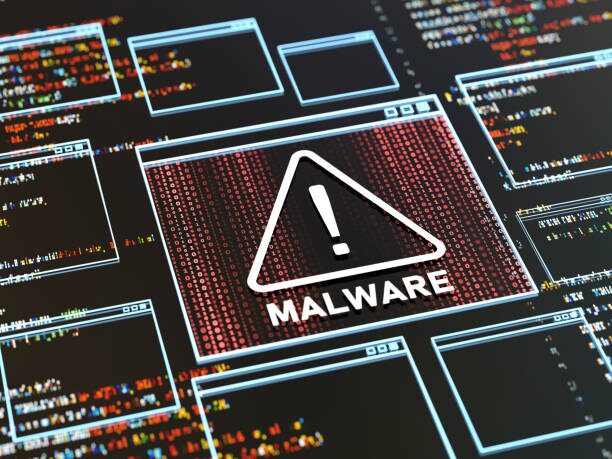
Crypto mining malware comes in various forms, each with its unique method of operation and impact on infected systems. Understanding these different types can help in recognizing and mitigating the threats they pose.
Browser-Based
Browser-based crypto-mining malware operates by running mining scripts within the victim’s web browser. These scripts are often embedded in websites and start mining as soon as the user visits the page.
CoinHive was one of the most infamous browser-based miners. It used JavaScript to mine Monero directly within the user’s browser, consuming CPU resources.
CoinHive scripts were found on many compromised websites, often without the knowledge of the site owners.
Users visiting these sites experienced slower browsing speeds and increased CPU usage, which continued as long as the browser remained open on the infected site.
File-Based
File-based crypto-mining malware involves malicious software that needs to be downloaded and installed on the user’s system. It often comes bundled with other software or files and starts mining cryptocurrency once it’s installed.
Trojan.BitCoinMiner is a type of malware that is used to hijack the resources of the infected computer to mine Bitcoin. It’s often spread through infected downloads or phishing emails.
Once installed, it can significantly slow down the performance of the infected system and cause other issues like overheating.
This malware often comes with additional harmful components, such as keyloggers or spyware, further compromising the victim’s security.
Cloud-Based
Cloud-based crypto mining malware targets cloud infrastructures rather than individual computers. Since cloud services often have significant processing power, they are an attractive target for crypto-mining malware.
This type of malware can lead to unexpected costs for cloud service users, as their resources are drained without their consent.
In recent years, there have been several instances of crypto mining attacks targeting Kubernetes, a popular open-source platform for managing containerized workloads in the cloud.
Attackers exploit misconfigurations or vulnerabilities to gain access to the Kubernetes platform and deploy their own containers running crypto-mining malware.
Attackers have targeted Alibaba Elastic Compute Service (ECS) by exploiting vulnerabilities in cloud configurations.
Once the malware infiltrates these cloud instances, it deploys mining operations across multiple virtual machines, significantly increasing the attacker’s mining capacity.
Related: Cryptocurrency Adoption Rate: A Global Overview
Best Antivirus Tools to Remove Crypto Mining Malware
| Tool | Detects Fileless Miners | Real-Time Protection | Removes XMRig | Price | Best For |
| Malwarebytes | Yes | Premium only | Yes (Trojan.BitCoinMiner) | Free / $44.99/yr | Most reliable individual removal |
| Windows Defender | Yes (PUA protection) | Built-in | Yes | Free (built-in) | First-line defence, always-on |
| HitmanPro | Yes (cloud-based) | Scan only | Yes | Free 30-day / $24.95/yr | Second-opinion scanner, persistent infections |
| Bitdefender Total Security | Yes | Yes | Yes | $49.99/yr | Comprehensive protection, multi-device |
| Kaspersky | Yes | Yes | Yes | $59.99/yr | High detection rates, resource-efficient |
| ESET NOD32 | Yes | Yes | Yes | $39.99/yr | Low system impact, gaming/performance PCs |
Do not download any antivirus tool from search ads only from the official vendor website. Malicious antivirus software that claims to remove miners is itself a common vector for installing them.
Prevent Crypto Mining Malware Infection
The best defense against crypto mining malware is prevention. Here are some key preventative measures you can take to minimize the risk of crypto-mining malware infecting your devices:
1. Be Cautious When Browsing
Avoid visiting websites with a poor reputation or those known to be spammy, always look for secure websites that use “HTTPS” in the address bar.
Also consider using a reputable ad blocker extension for your web browser.
2. Scrutinize Downloads
Only download software and files from trusted sources, do well to download software from unknown websites or peer-to-peer networks (torrenting).
Be wary of downloading executable files (“.exe”) unless you are certain of their origin and purpose.
3. Software Updates
Ensure your operating system (Windows, Mac, etc.) is updated with the latest security patches. These patches often address vulnerabilities that could be exploited by malware.
Keep all software applications on your device up to date because outdated software can have security flaws that make them vulnerable to attack.
4. Password Management
Use strong, unique passwords for all your online accounts, and avoid using the same password for multiple accounts. Also, consider using a password manager to generate and store strong passwords securely.
5. Antivirus and Anti-Malware Software
Invest in a reputable antivirus and anti-malware software program. Keep the software updated with the latest virus definitions for optimal protection.
Enable real-time scanning to continuously monitor your system for suspicious activity.
Conclusion
Crypto mining malware can severely impact your device’s performance and increase energy costs by secretly using your system’s resources to mine cryptocurrency. Recognizing the signs is crucial.
Equipping yourself with tools can help us detect and remove these threats because the fight against crypto-mining malware is not a passive one.
It requires vigilance, proactive measures, and a commitment to maintaining good cybersecurity practices.
But with the right knowledge and tools, we can effectively combat these threats and ensure a safer, more secure digital environment.