



Knowing how to buy cryptocurrency with a debit card is genuinely one of the simplest entry points into the digital asset space. This guide walks you through every stage, highlights what can go wrong, and shows you how to keep a purchase secure.
One section deserves more attention than the rest. Card declines are the commonest reason a first purchase fails, and the cause is how the card networks classify the transaction before your bank ever sees it.
Key Takeaways
- A debit card purchase lands in one to three minutes, against anything from seconds to five business days for a bank transfer depending on the rail.
- Visa’s own manual requires crypto purchases to be coded under merchant category code 6051 or 6012 and flagged as quasi-cash, which is why so many cards are refused.
- On a credit card that coding can trigger cash advance treatment: JPMorgan Chase’s cardmember agreement charges the greater of 10 dollars or 5 percent, with interest from the transaction date.
- On a debit card there is no interest, so the same coding shows up as a block or a lower category limit.
- The advertised fee is rarely the full cost, because a spread sits inside the exchange rate you are quoted.
Why Is Buying Cryptocurrency with a Debit Card the Most Popular Method?
The appeal is time, and the card is something you already have: no new account, no reference number, no waiting to see whether funds landed. Debit also sits in a useful middle ground, because you spend money you already hold, so there is no interest and no debt if the market turns.
What Coins Can You Buy with a Debit Card?
Almost any major asset is available by debit card on an established platform: Bitcoin, Ethereum, Solana and the major stablecoins almost everywhere, and beyond those anywhere from fifty assets to several hundred. Smaller tokens usually need a major asset bought first and swapped, which adds a second set of fees.
How Do You Buy Cryptocurrency with a Debit Card Step by Step?
Six steps, consistent across reputable platforms, most taking under a minute.
1. Choose a Reputable Platform and Create Your Account
Set a strong unique password and turn on two-factor authentication. Check the regulatory status first: FCA registration in the UK, MiCA authorisation in the EU, FinCEN in the US.
2. Complete Identity Verification
Know-your-customer checks are a legal requirement, not a platform preference. Expect a photo ID and usually a selfie. Our guide to KYC compliance in the crypto sector explains what happens to what you submit.
3. Link Your Debit Card
Enter the card number, expiry, CVV and the billing address your bank holds. It has to match exactly: a mismatch is a common cause of instant decline, and the error message never says so.
4. Select the Cryptocurrency You Want to Buy
You will enter an amount in your own currency. Before confirming, look at how much crypto you will receive rather than the headline fee, because that figure includes the spread.
5. Confirm the Transaction and Authorise with Your Bank
Your bank may send a one-time code or ask for 3-D Secure approval. Complete it when it arrives; if the prompt is missed the platform will usually ask you to start again.
6. Receive Your Crypto and Secure It
Assets normally arrive within minutes. For anything you mean to hold, move it to a wallet you control, and test a new address with a small amount first.
A Bitcoin transaction cannot be reversed, it can only be refunded by the person receiving the funds.
Bitcoin.org, “Some things you need to know”
Read Also: Can Crypto Payments Be Reversed? Find Out Here
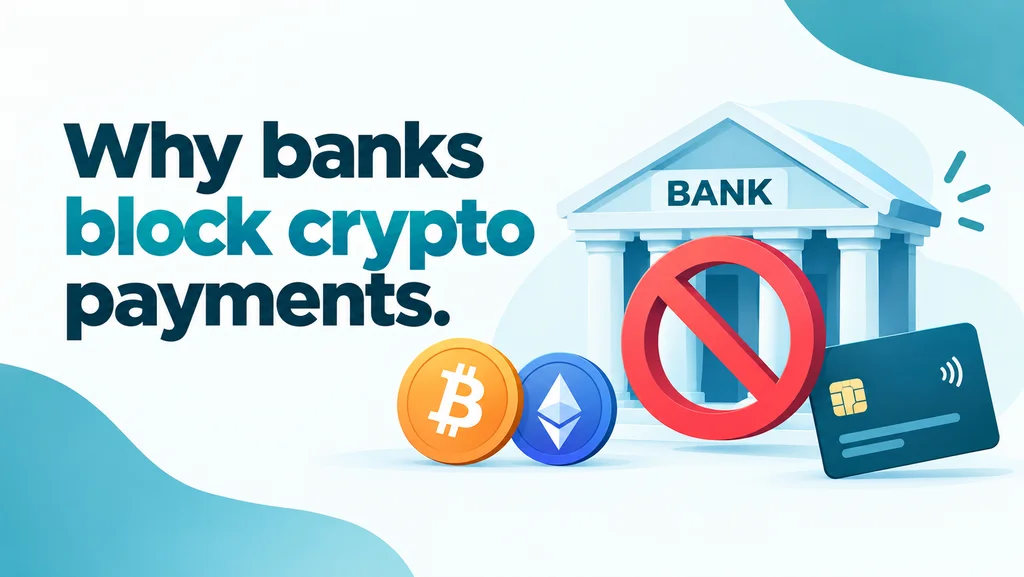
Why Debit Card Crypto Purchases Get Declined
This is the part that catches everyone out. Your card works everywhere else, your balance is fine, and the purchase still fails.
How Your Bank Sees It: MCC 6051 and Quasi-Cash
Every card transaction carries a merchant category code. Visa’s merchant data standards manual of April 2026 makes 6051 its non-financial-institution code, covering “Foreign Currency, Liquid and Cryptocurrency Assets (for example: Cryptocurrency), Money Orders (Not Money Transfer), Account Funding (not Stored Value Load)” and more.
The same manual says plainly that “Purchases of cryptocurrency must use MCC 6012 or 6051, as applicable”, and that they “must also contain special condition indicator 7 and the quasi-cash transaction indicator in the authorization request and special condition indicator 7 in the clearing record”.
Quasi-cash is the term that does the damage. It covers purchases that turn money into something close to cash, which is why crypto sits with foreign currency and money orders.
So your bank does not see a purchase. It sees something much like a cash withdrawal, which is why a card that happily pays for a holiday refuses a smaller crypto order.
If You Pay by Credit Card Instead: Cash Advance Treatment
This one does not happen on a debit card. On a credit card the flag can convert the purchase into a cash advance: JPMorgan Chase’s cardmember agreement lists “cryptocurrency, other similar digital or virtual currency” among the cash-like transactions it treats that way.
It also prices them. The fee is “Either $10 or 5% of the amount of each transaction, whichever is greater” and interest begins “on the transaction date”. The cash advance APR is 28.49%, which the agreement says varies with the Prime Rate, so treat it as the figure published there and read in September 2026.
A 500 dollar purchase therefore costs 25 dollars before the market moves at all. Other issuers word it differently, so read your own agreement rather than assuming.
On a debit card there is no borrowing and no interest. Issuers respond instead with a block, a lower category limit or a flat fee, and the decision is your bank’s rather than the platform’s.
Read Also: Can You Use Crypto Credit Cards Anywhere?
3-D Secure and the Authentication Step
The one-time code step is EMV 3-D Secure. EMVCo describes it as enabling “the exchange of data, or messages, between the merchant and the issuer to authenticate the consumer and approve the transaction”, with data “about the transaction, payment method and device”.
Most ordinary payments pass without interruption. For higher-risk transactions, EMVCo says, issuers “may choose to require further authentication”, using a one-time passcode or biometrics. EMVCo does not say which transactions issuers score as higher risk; what the quasi-cash flag does is give an issuer a reason to challenge one.
So make sure your phone can receive the prompt, and approve inside your banking app where that is offered.
The Gap Between Authorisation and Settlement
Your bank authorises the payment and holds the funds, then a separate clearing record settles it. Prices move in that gap, which is why a quote is valid only briefly.
The hold causes its own confusion: a failed purchase can leave a pending authorisation for days, which looks exactly like being charged for nothing.
What to Do When Your Card Is Declined
Work through these in order; the first two resolve most cases.
- Check your banking app for a crypto control where your bank offers one. Not all do: Monzo publishes a 5,000 pound crypto allowance over a rolling 30-day period and says it cannot change it.
- Ask your bank whether it blocks quasi-cash or MCC 6051 rather than asking about cryptocurrency.
- Confirm your billing address matches the bank’s records exactly.
- Check whether the amount exceeds a daily limit; try a smaller test.
- Make sure you can receive the 3-D Secure prompt.
- Try a card from a different issuer, since policies vary widely.
If your bank blocks the category outright, retrying will not help. A bank transfer carries no merchant category code at all.
Which Platforms Let You Buy Crypto with a Debit Card
Most major platforms now take debit cards. Coinbase’s US user agreement, in its California disclosures, publishes a ceiling: the Coinbase Fee “will not exceed $10” on transactions under 200 dollars and “will not exceed 6% of the USD value of the cryptocurrency” otherwise, and its fees page says separately that a spread is included in the price you are quoted.
Individual platform fees change often, so the more durable comparison is between the payment methods themselves.
| Payment method | Typical speed | Relative cost | Main drawback |
|---|---|---|---|
| Debit card | 1 to 3 minutes | Moderate | Coded as quasi-cash, so declines are common |
| Credit card | 1 to 3 minutes | Highest | Cash advance fee and interest from day one on issuers that treat crypto as cash-like |
| Bank transfer | Seconds on instant rails, 1 to 5 business days on ACH or a wire | Lowest | The price moves while you wait |
| Apple Pay or Google Pay | 1 to 3 minutes | Similar to debit | The card behind the wallet is still quasi-cash |
| Existing platform balance | Seconds | Lowest | You have to fund the account first |
Note the fourth row: paying by phone changes nothing, because the card behind the wallet is charged.
What the Purchase Actually Costs
Three charges stack up and only one is usually advertised: the processing fee, the spread inside the rate you are shown, and the network fee you pay later moving the asset out.
Comparing the quantity you are delivered against the spot price is the reliable way to see the spread.
What It Costs to Spend It Afterwards
UPay’s Help Center documents depositing Bitcoin, Ethereum or Tether into the UPay wallet, and the card is recharged from that wallet rather than debited from a bank.
UPay’s fee tables charge 10 USDT to issue a virtual card, 100 USDT for a physical Premier, Platinum or Precious card and 400 USDT for VIP Metal. Topping the card up from the wallet costs 2 percent on Premier and Platinum, 1 percent on Precious and VIP Metal, and no card carries an annual fee.
Cash out costs 1 percent on the physical Premier and Platinum cards, with daily ceilings of 3,750 and 3,000 US dollars.
Eligibility turns on nationality rather than residence, which matters more than the fees. UPay’s Help Center blocks Platinum applications from nationals of several countries including the Republic of Congo, India, Pakistan, Indonesia, the United States, China, Chile, Israel, Nepal, Vietnam, Saudi Arabia and Turkey. Premier stays open to most of them.
A Turkish national can apply for neither, since Turkey appears on both cards’ lists.
Those lists are longer than the names above and UPay changes them, so check the current version before applying. UPay’s current cards run on Visa, issued by partner institutions.
Read Also: Use a Crypto Card at an ATM? Everything You Need to Know
What Are the Biggest Mistakes to Avoid When Buying Crypto with a Debit Card?
No verification, no regulatory information and rates that look too good are one warning sign, not three.
- Using an unregulated platform. Check for FCA, MiCA or FinCEN registration first. Regulation does not guarantee solvency, but its absence means no regulator to complain to and no compensation scheme, leaving your bank’s dispute process as the only route left.
- Ignoring the full fee breakdown. Check the quantity you will receive against the spot price, because the spread hides inside the rate.
- Leaving large holdings on the platform. Move them to a wallet whose keys you control, as our explainer on crypto exchanges and wallets sets out.
- Sending crypto to the wrong address. Test with a small amount, check the network matches and verify the first and last characters, because clipboard-hijacking malware swaps addresses as you paste.
- Buying more than you can afford to lose. Past cycles have produced very deep drawdowns in major assets and worse in smaller ones, and a position can stay down for years.
- Using a prepaid card without checking. Most are blocked outright, so confirm with the platform first, particularly a gift card or single-use card.
Conclusion
The steps are short: pick a regulated platform, verify, link the card, and the crypto arrives in minutes. The friction is the quasi-cash classification, which is why the fix usually involves your bank.
FAQs
Why does my bank keep declining my crypto purchase?
Because the networks require crypto purchases to be coded as quasi-cash under MCC 6051 or 6012, and some banks block or cap that category. Check your banking app for a crypto control, then ask about quasi-cash specifically.
Is a debit card cheaper than a credit card for buying crypto?
Usually, and by a wide margin. Debit carries less risk for the platform, and some issuers, JPMorgan Chase among them in its cardmember agreement, treat a crypto purchase as a cash advance, adding a fee and charging interest from the transaction date.
Is it cheaper to use a debit card or a bank transfer?
Cheaper, and not always slower. The European Central Bank says a SEPA instant credit transfer makes funds available “within ten seconds”, and UK Faster Payments and India’s UPI are comparable. ACH and international wires are where the days come from.
Can I buy crypto with a debit card without verification?
Not on a properly regulated platform. Identity checks are a legal requirement, and a card payment leaves a trail through your bank anyway.
Do Apple Pay and Google Pay avoid the decline problem?
No. The card behind the wallet is charged, so it carries the same coding and meets the same rules. They do help with authentication, because approval happens on your device rather than by SMS.
What if my purchase fails but my bank still shows a charge?
That is usually a pending authorisation hold rather than a charge: the funds are reserved but not taken, and it drops off within a few business days. If it has not cleared after a week, contact your bank.
Once you hold crypto, a UPay card spends it from your UPay wallet, at 10 USDT to issue a virtual card and no annual fee. Check the nationality list in UPay’s Help Center first.