




A thread appeared on r/fintech. Someone asked how long it realistically takes to launch crypto-linked virtual cards.
The top answer said eighteen months minimum — licensing, infrastructure, compliance, card network agreements. A developer three comments down disagreed.
His team had done it in eleven days using a crypto card issuing API. The thread blew up. Everyone wanted to know which one.
What Is a Crypto Card Issuing API?
A crypto card issuing API is a set of programmable tools that allows businesses to create and manage payment cards connected to cryptocurrency wallets or digital assets.
These APIs enable fintech companies, exchanges, and payment platforms to issue virtual or physical cards.
With these cards, users can then fund them with crypto and use them for everyday transactions.
In simpler terms, a crypto card issuing API acts as the bridge between blockchain-based assets and traditional card payment networks like Visa or Mastercard.
It handles the backend infrastructure required for card creation, transaction authorization, wallet connectivity, and crypto-to-fiat conversion.
A typical crypto card issuing API may support virtual card issuance, physical card creation, wallet integration, and real-time transaction tracking, among other things.
For example, a fintech app could allow users to hold USDT or Bitcoin in a wallet and spend those assets through a crypto-linked debit card.
When a payment is made, the API coordinates the transaction process, including conversion into fiat currency where necessary.
As demand for crypto payment experiences grows, APIs are making it easier for companies to launch scalable card solutions quickly.
Read Also: How to earn crypto passively.
How a Crypto Card Issuing API Actually Works

1. User Onboarding and KYC
Before a card can be issued, users are usually required to complete identity verification procedures.
Most crypto card providers integrate Know Your Customer (KYC) and Anti-Money Laundering (AML) checks to comply with financial regulations.
During this stage, the API helps collect identity information, verify documents, and run compliance checks to determine whether a user is eligible for the card program.
This onboarding flow is often integrated directly into the fintech app or platform using API endpoints.
2. Wallet Funding and Crypto Deposits
Once verification is complete, users can fund their wallets with cryptocurrency such as Bitcoin, Ethereum, USDT, or other supported assets.
The API helps manage wallet balances and monitors incoming transactions on supported blockchain networks.
3. Card Issuance and Provisioning
After the wallet is funded, the business can issue a virtual or physical crypto card through the API.
The infrastructure handles card creation, including card numbers, expiry dates, and security credentials.
Some providers also support tokenized cards that work with Apple Pay and Google Pay, as well as white-label card programs for fintech companies that want to issue cards under their own brand.
4. Crypto-to-Fiat Conversion During Transactions
When a user makes a payment, the crypto card issuing API coordinates the transaction in real time.
The system checks the wallet balance, converts crypto to fiat currency as needed, and routes the payment through traditional card networks such as Visa or Mastercard.
This allows users to spend crypto at merchants that may not directly accept digital assets.
5. Transaction Authorization and Settlement
The API also manages transaction authorization, settlement, fraud monitoring, and payment tracking behind the scenes.
Many providers offer dashboards, analytics tools, and webhook integrations to help businesses monitor transactions and automate payment workflows more efficiently.
Read Also: How do USDT payments work?
Key Features to Look for in a Crypto Card Issuing API
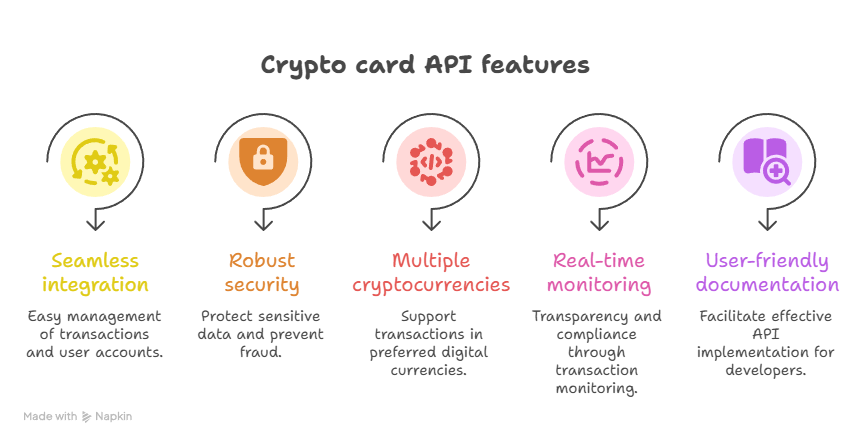
1. Virtual and Physical Card Issuance
A strong card issuing API should support both virtual and physical card creation.
Virtual cards are typically issued instantly for online use, while physical cards are shipped to users for in-store payments and ATM withdrawals.
Together, they give users flexibility in how they spend their crypto-linked funds.
2. Multi-Currency and Crypto Asset Support
Modern APIs should support multiple cryptocurrencies and fiat currencies.
This allows users to fund their cards with assets like Bitcoin, Ethereum, or stablecoins such as USDT.
It also gives users the ability to spend in local fiat currencies like USD or EUR. Essentially, this support improves usability and global reach.
3. Real-Time Transaction Processing
Speed is another feature that is important when it comes to payments.
A good API should process transactions in real time, including balance checks, crypto-to-fiat conversion, and payment authorization.
This ensures users can make purchases without delays at checkout.
4. Spending Controls and Card Management
Businesses should be able to set limits and controls directly through the API.
This includes features like daily spending caps, merchant restrictions, freeze/unfreeze options, and card replacement.
These controls help platforms manage risk and improve user security.
5. Developer-Friendly Documentation
An API is only as useful as its documentation. There should be endpoint references, error handling guides, and responsive technical support.
This would then determine how quickly your team can build and how smoothly the integration holds up in production.
6. Sandbox Environment for Testing
A sandbox environment is also important because it allows you to test card issuance, transactions, and error handling before going live.
6. Compliance and Fraud Prevention Tools
Since crypto cards operate within regulated financial systems, compliance features are essential.
A strong API should include built-in KYC/AML support, transaction monitoring, and fraud detection tools to help businesses meet regulatory requirements and reduce risk.
What the UPay Crypto Card Issuing API Offers
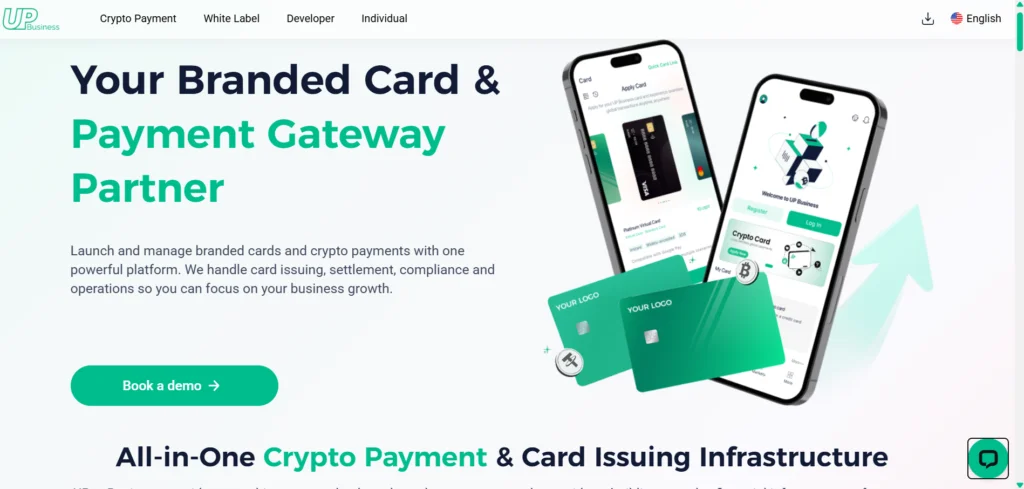
The UPay crypto card issuing API is built as part of a fully managed payment and infrastructure ecosystem that allows businesses to launch branded crypto cards and payment products
The platform handles the operational complexity behind the scenes, including card issuing, production, fulfilment, settlement, and compliance.
However, businesses retain full control over branding, customer experience, and spending rules.
1. Card Issuing and Payments Infrastructure
The system supports both virtual and physical cards, making it suitable for digital-first platforms as well as real-world spending use cases.
What UPay Handles Behind the Scenes
One of the key advantages of the UPay crypto card issuing API is that it removes operational burden from businesses.
It also handles settlement across payment networks and compliance requirements, including KYC and AML checks.
Security and infrastructure reliability are also supported through enterprise-grade partnerships, including providers such as Sumsub for identity verification.
These partnerships also include StraitsX for settlement infrastructure, Tencent Cloud for system reliability, and other ecosystem partners that support monitoring, security, and payment processing.
Read Also: How to integrate crypto payments into a website.
What Businesses Control Through the API
While UPay manages the heavy infrastructure layer, businesses retain full control over their product experience.
Through the API, companies can customize card branding and design and define spending rules and transaction limits.
Businesses can also choose supported currencies and assets, and manage customer-facing workflows such as onboarding and card usage.
This separation allows UPay to function as a managed infrastructure provider rather than just a basic payment processor.
Therefore, businesses focus on growth and customer experience, while the platform handles execution, compliance, and backend operations.
2. Crypto Card Issuance and Global Payment Capability
UPay simplifies crypto card issuance by enabling businesses to launch both virtual and physical Visa cards through a single API integration.
These cards are linked to crypto wallets funded with assets such as BTC, ETH, USDT, and USDC, which are automatically converted into fiat at the point of transaction.
This allows users to spend crypto at millions of global merchants that accept Visa, without needing to manually convert funds.
The API ensures real-time processing, fast card issuance, and global usability across borders.
3. Integrated Crypto Payment and Wallet Infrastructure
Beyond card issuing, UPay also provides a broader set of APIs that support end-to-end crypto financial operations.
These include crypto payment acceptance, wallet management, and payout functionality.
With this feature, businesses can accept crypto payments through generated payment addresses and manage deposits and withdrawals through wallet APIs.
It also allows for payouts to external addresses for use cases such as payroll or freelance disbursements.
This makes the platform suitable not only for card programs but also for broader embedded finance and Web3 payment systems.
How to Integrate a Crypto Card Issuing API Into Your App

If you want to integrate a functional card issuing API, below are the steps you will take:
Step 1: Choose a Crypto Card Issuing API Provider
The first step is selecting a provider that offers a stable and well-documented crypto card issuing API.
Your choice will determine how easily you can launch and scale your card program.
For example, platforms like UPay provide developer-focused infrastructure that already supports card issuance.
It also provides wallet connectivity and crypto-to-fiat conversion, reducing the need to build the systems from scratch.
Step 2: Create a Developer Account and Obtain API Credentials
Once you’ve chosen a provider, you typically need to register as a business or developer. After approval, you’ll receive API credentials such as an API key, secret token, or app ID.
These credentials authenticate your requests and allow your application to securely interact with the card issuing system.
Step 3: Set Up User Onboarding and KYC Flow
Before issuing cards, you need to integrate identity verification into your app. Using the API, you can trigger KYC checks during user signup.
For instance, you can connect onboarding flows directly to the API so that users are verified before they are eligible for card issuance.
This ensures compliance with regulatory requirements while keeping the process automated.
Step 4: Integrate Card Issuance Endpoints
After onboarding is complete, you can integrate the card issuance endpoints into your app. This allows you to programmatically issue virtual or physical cards to users.
For example, your app could trigger a “create card” request once a user funds their wallet.
The API will then return card details such as card number, expiry date, and CVV for virtual cards.
Step 5: Connect Wallets and Enable Funding
Next, you integrate wallet functionality so users can deposit crypto into their accounts. The API tracks wallet balances and ensures funds are available for spending.
With this, users can fund their wallets with supported cryptocurrencies, and the system automatically reflects updated balances in real time.
Step 6: Enable Transaction Processing and Conversion Logic
At this stage, your app is ready to process payments. When a user makes a purchase, the crypto card issuing API handles authorization and checks the wallet balances.
It then converts crypto into fiat at the point of transaction.
Step 7: Test in a Sandbox Environment
Before going live, you should test your entire integration in a sandbox environment provided by the API provider.
This allows you to simulate card issuance, payments, declines, and edge cases without using real funds.
Step 8: Launch and Monitor via Dashboard and Webhooks
Once testing is complete, you can launch your application. After launch, monitoring becomes critical.
Most crypto card issuing APIs provide dashboards and webhook notifications so you can track transactions, card activity, and system performance in real time.
This helps you quickly respond to errors, fraud alerts, or unusual activity patterns.
Security and Compliance in Crypto Card Issuing APIs
1. KYC (Know Your Customer) Requirements
Security in crypto card issuing APIs begins with identity verification. Before users can access card services, they are required to complete KYC checks.
The KYC checks typically involve submitting identification documents and personal information.
The API automates this process by integrating verification tools directly into onboarding flows, ensuring that only verified users can issue or use crypto-linked cards.
2. AML (Anti-Money Laundering) Monitoring
Crypto card issuing APIs are designed to comply with AML regulations by monitoring transactions for suspicious activity.
These systems flag unusual patterns such as rapid transfers, high-volume spending, or transactions linked to risky wallets.
Once flagged, the API can trigger alerts, freeze card activity, or require additional verification.
3. PCI-DSS and Payment Security Standards
Because crypto cards still operate through traditional card networks like Visa or Mastercard, providers must comply with PCI-DSS standards.
This ensures that cardholder data such as card numbers, CVV codes, and transaction details are securely encrypted and stored.
A compliant API reduces the risk of data breaches and unauthorized access.
4. Encryption and Data Protection
Strong encryption is a core requirement for any crypto card issuing API.
Sensitive data is typically encrypted both in transit and at rest, ensuring that wallet information, transaction details, and user identities remain secure.
This protects against interception, hacking attempts, and internal data leaks.
5. Fraud Detection and Risk Scoring
Modern APIs use real-time fraud detection systems to assess transaction risk before approval.
These systems analyze user behavior, device information, transaction history, and wallet activity to assign risk scores.
High-risk transactions may be blocked or require additional authentication before processing.
6. Compliance Automation for Developers
Instead of building complex regulatory systems internally, fintechs can rely on built-in compliance tools.
This could include automated KYC, AML screening, and transaction monitoring.
This compliance automation helps fintechs stay aligned with global financial regulations while focusing on product development.
Challenges in Using Crypto Card Issuing APIs
Real challenges exist before committing to an integration. Here’s what to anticipate:
Regulatory complexity: Crypto card programs sit at the intersection of digital assets and traditional finance. What’s permitted in one jurisdiction may require additional licensing in another.
Global expansion demands understanding how your card program interacts with local regulations, even when the provider handles compliance infrastructure.
Crypto volatility: Wallets funded in Bitcoin today may be worth less tomorrow.
Stablecoin support or instant point-of-sale conversion helps, but volatility remains a real consideration for any platform not operating purely on stablecoins.
Integration workload: API-based issuing is significantly easier than building from scratch, but it still requires technical investment.
KYC flows, wallet connections, transaction edge cases, and testing take time. Underestimating this pushes launch timelines back.
User education: Crypto cards are still new to mainstream users.
Clear communication about how funds convert and what happens during a failed transaction is as important as the product itself.
Provider dependency: Building on a third-party API means changes to pricing, terms, or infrastructure directly affect your product.
Choose a provider with transparent terms, a clear roadmap, and proven operational stability; the feature set matters, but so does who’s behind it.
Frequently Asked Questions
Is integrating a crypto card issuing API difficult?
No, integrating a crypto card issuing API is easier than building card infrastructure independently. Most providers offer APIs, sandbox testing environments, technical documentation, SDKs, and webhook support that simplify development and reduce implementation time.
Conclusion
As crypto payment adoption continues to grow, the infrastructure supporting it will only become more important to get right.
The businesses that move early, build on the right APIs, and choose the right partners will have a clear and lasting advantage.