


Google Gemini is one of the most advanced AI models available today, and crypto traders are already using it to analyse markets, generate insights, and improve trading accuracy.
Imagine having an AI assistant that can read charts, summarise market news, explain trading signals, and even build strategies for you; all in seconds.
That is exactly what Google Gemini offers. It is an all-in-one tool that helps traders understand market movements, interpret complex charts, manage risk, and make better trading decisions without spending hours on research.
In this article, you will learn how to use Google Gemini in Crypto Trading to improve your crypto trading, from analysing charts and market trends to creating automated strategies that save time and reduce guesswork.
You will also discover practical prompts, real examples, and the best ways to integrate Gemini with tools like TradingView and major crypto exchanges.
What is Google Gemini?
Google Gemini is an advanced artificial intelligence model created by Google to help people understand information, solve problems, and complete tasks faster.
Think of it as a smart digital assistant that can read text, analyse images, understand charts, explain complex ideas, and even help you make better decisions.
Unlike older AI tools, Gemini is designed to work across many formats at once. It can:
- Read and summarise long articles
- Analyse screenshots of charts or websites
- Understand graphs, tables, and numbers
- Write clear explanations and strategies
- Generate creative or technical content
For crypto traders, this means you can get quick insights about the market without doing all the work yourself.
You can ask Gemini to read your charts, explain technical indicators, compare coins, or help you build trading strategies- all in simple, clear language
Source: Gemini Blog
Why Use Google Gemini in Crypto Trading?
Google Gemini is designed to understand data, detect patterns, and explain complex information in simple language.
This makes it especially powerful for crypto traders who need fast, accurate insights during market volatility.
Instead of manually checking multiple websites, charts, or indicators, Gemini can summarise everything for you in one place.
Because Gemini can reason and break down information step by step, it gives clearer explanations than most traditional trading tools.
Traders use Gemini for many purposes, including:
- Analysing Bitcoin and altcoin charts
- Summarising market news
- Explaining technical indicators
- Detecting early trend shifts
- Reviewing portfolios for risk
- Generating trading strategies
- Understanding sentiment on platforms like Twitter/X and Reddit
Here are the main reasons traders use Gemini:
It saves time
Gemini can quickly read the market, summarise long reports, and explain what is happening in simple words. Instead of spending hours on research, you get clear answers in seconds.
It reduces guesswork
You can ask Gemini to break down candlestick patterns, price trends, market sentiment, or indicators like RSI, MACD, and moving averages.
This helps you avoid random decisions and trade with more confidence.
It helps you understand market movements
Gemini can tell you why a coin is pumping or dropping by pulling insights from news, social media, and charts. This helps you stay ahead of sudden changes.
It can assist with risk management
You can ask Gemini to suggest stop-loss levels, position sizes, and ways to avoid common trading mistakes.
It gives you more control, especially if you are a beginner.
It supports strategy building
Gemini can create trading strategies for different market conditions.
Even if you want a day-trading plan, swing-trading rules, or long-term investment ideas, Gemini can generate a full strategy with entry, exit, and risk steps.
Works well with other tools
Gemini can read TradingView charts, analyse screenshots, help you write trading scripts, and explain how to automate tasks on exchanges.
This makes it very useful for both new and advanced traders.
How to Use Google Gemini for Market Analysis
Market analysis is one of the most powerful ways to use Google Gemini.
The crypto market moves quickly, and staying updated requires constant monitoring.
Google Gemini can help you understand what is happening in the market without guessing or spending too much time on charts.
It gives quick, clear insights that make trading easier. Here are the main ways you can use Gemini for market analysis:
With the right prompts, Gemini can analyse:
- Daily market trends
- Bitcoin dominance
- Altcoin movements
- Fear & Greed levels
- Global news events
- Exchange updates
- Liquidity shifts
Gemini can also summarise the latest updates from trusted crypto sources like:
“Instead of checking 10 different websites, Gemini can scan the entire market and give you one clear summary in seconds.”
Here are the main ways you can use Gemini for market analysis:
Analyse Price Charts
You can upload a chart or describe the market, and Gemini will explain the trend in simple words.
For example, Gemini can tell you:
- If the market is going up or down
- Where support and resistance levels are
- What candlestick patterns mean
- Whether buyers or sellers are in control
Read Market Sentiment
Gemini can scan news, social media, and market reports to tell you the general mood of traders.
It can summarise:
- Whether people are bullish or bearish
- How news events may affect prices
- If traders are fearful or excited
Compare Coins Easily
If you are unsure which coin to trade, Gemini can compare them for you.
For example:
- Bitcoin vs Ethereum
- Solana vs Avalanche
- Any altcoins you are tracking
Spot Trading Opportunities
You can ask Gemini questions like:
- “Is this a good entry point?”
- “What indicators should I watch?”
- “Is this coin overbought or oversold?”
Explain Indicators in Simple English
Instead of trying to learn complex indicators on your own, you can ask Gemini to explain them.
It can break down:
- RSI
- MACD
- EMA/SMA
- Bollinger Bands
Check Market Trends
Gemini can summarise the wider crypto trend, such as:
- Whether the market is in an uptrend or downtrend
- If momentum is strong or weak
- What might happen next based on patterns
Create a Quick TL;DR of the Market
If you want a fast overview, simply ask: “Give me a summary of the crypto market today.” Gemini will highlight the key movements and events in a short, clear summary.
Read Also: Best DeFi lending platform
How to Use Google Gemini in Crypto Trading
Google Gemini can act like a personal strategy coach. Below are strategies:
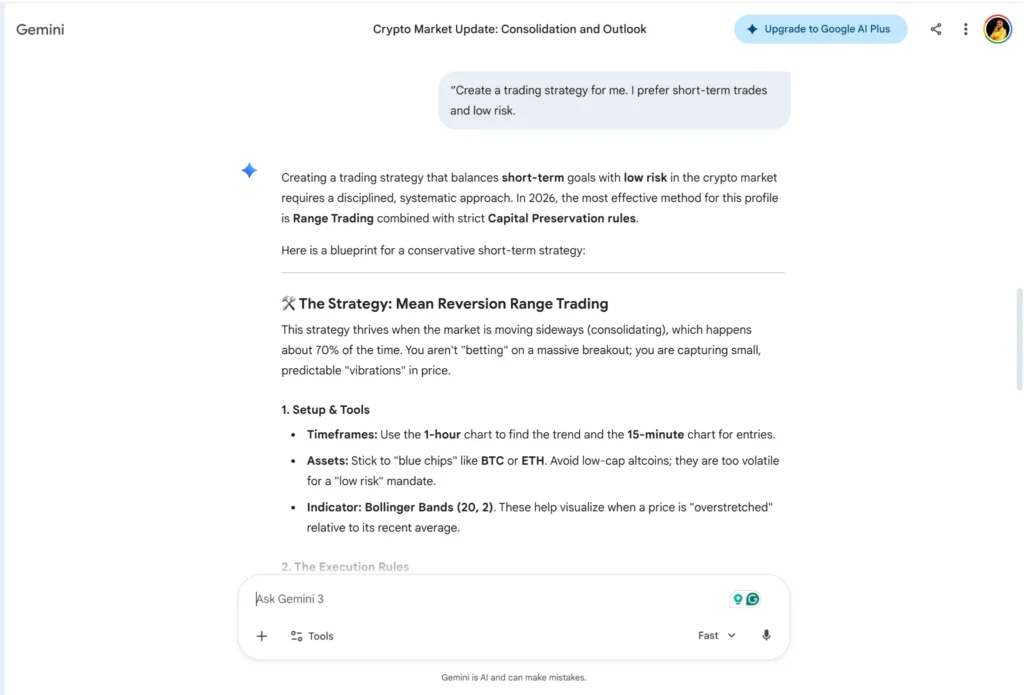
Start by Telling Gemini Your Trading Style
Begin with a simple prompt like: “Create a trading strategy for me. I prefer short-term trades and low risk.” Gemini will shape the strategy around:
- Your risk level
- Your time frame
- Your trading goals
Ask Gemini to Define Your Entry Signals
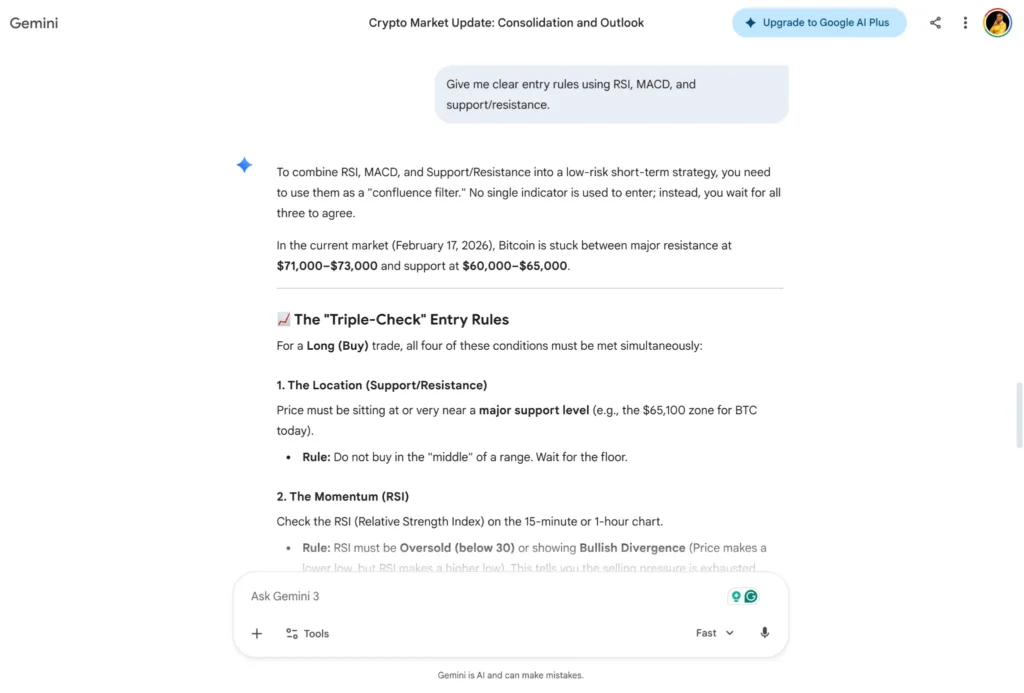
A good strategy tells you when to enter a trade. You can ask: “Give me clear entry rules using RSI, MACD, and support/resistance.” Gemini will produce simple conditions such as:
- RSI below 30 → watch for reversal
- MACD crossover → possible entry
- Price bounce from support → confirmation
Get Gemini to Set Your Exit Rules
Exits matter more than entries. Ask: “Explain when I should exit a trade using my strategy.” Gemini will help you define:
- Profit-taking levels
- Stop-loss placement
- When to exit early
- When to hold longer
Request Risk Management Settings
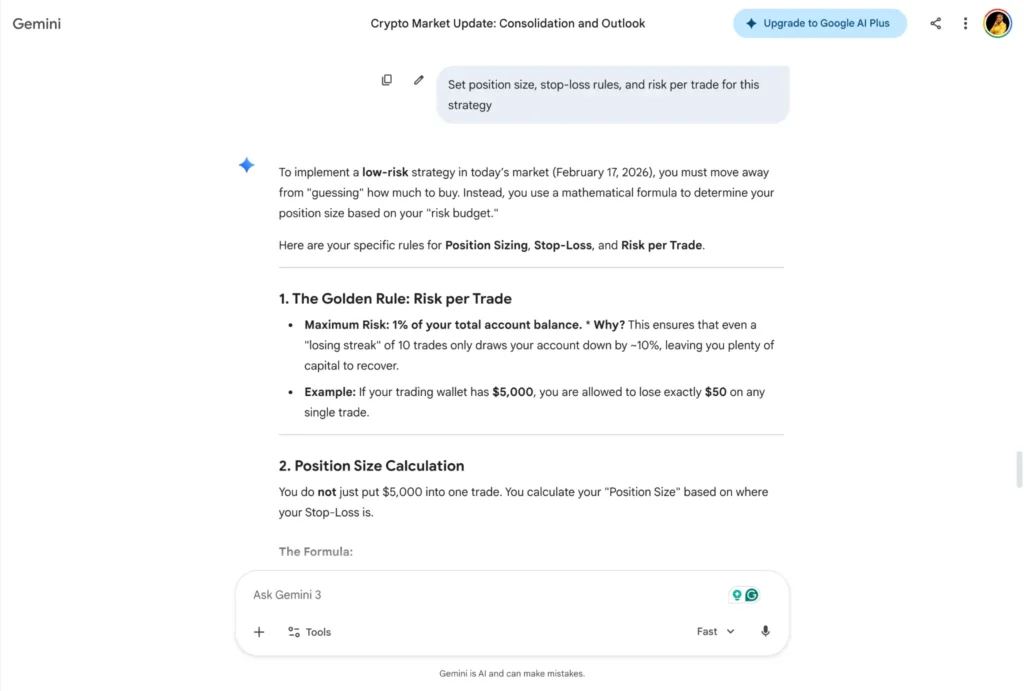
A strategy is incomplete without risk control. Ask Gemini: “Set position size, stop-loss rules, and risk per trade for this strategy.” You’ll get guidance on:
- How much to risk per trade
- Where to place stop-loss
- How to protect profits
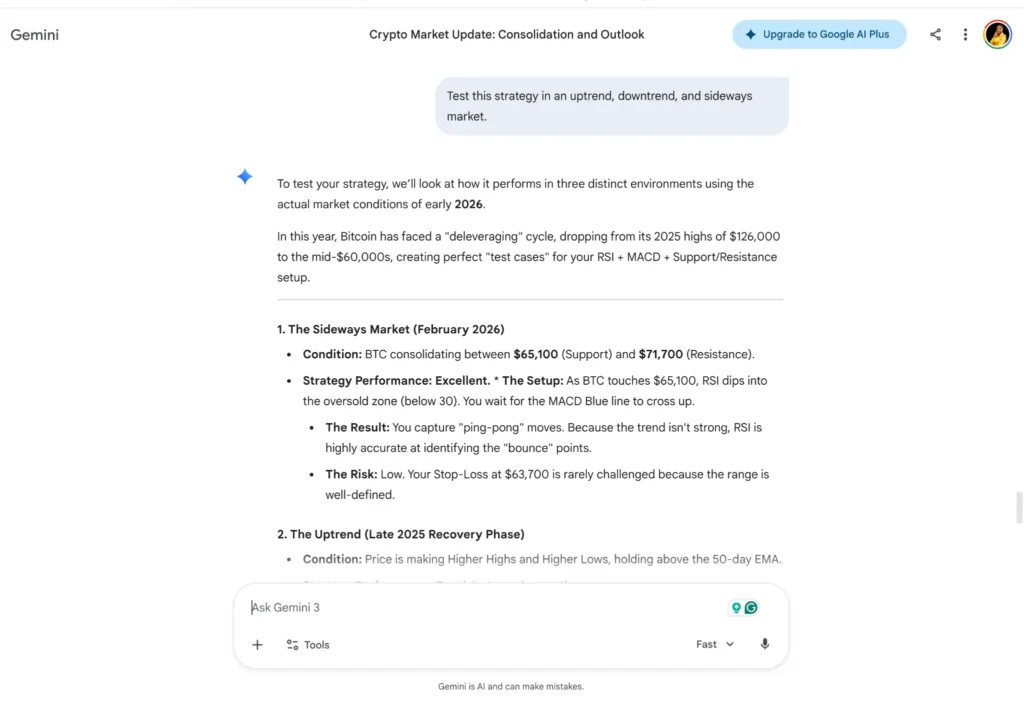
Test the Strategy Using Hypothetical Scenarios
Before trading real money, tell Gemini: “Test this strategy in an uptrend, downtrend, and sideways market.” Gemini will show you:
- What works
- What fails
- When to avoid trading
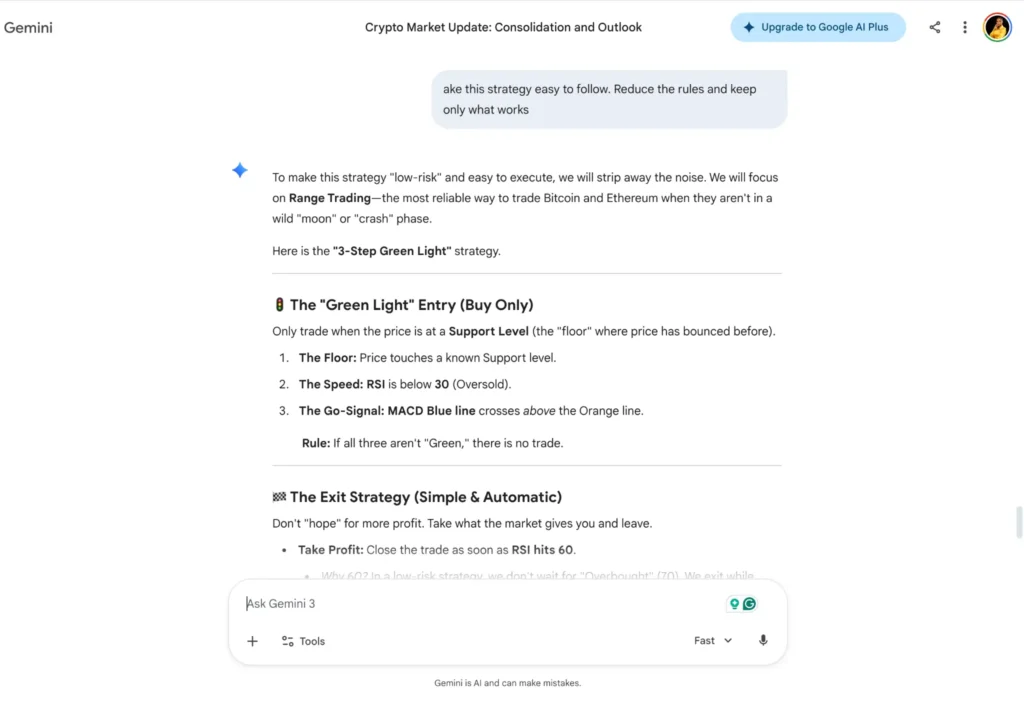
Ask Gemini to Simplify and Clean Up the Rules
Sometimes strategies become too complex. You can fix this by saying: “Make this strategy easy to follow. Reduce the rules and keep only what works.” Gemini will give you:
- A cleaner version
- Straightforward rules
- A strategy you can actually use daily
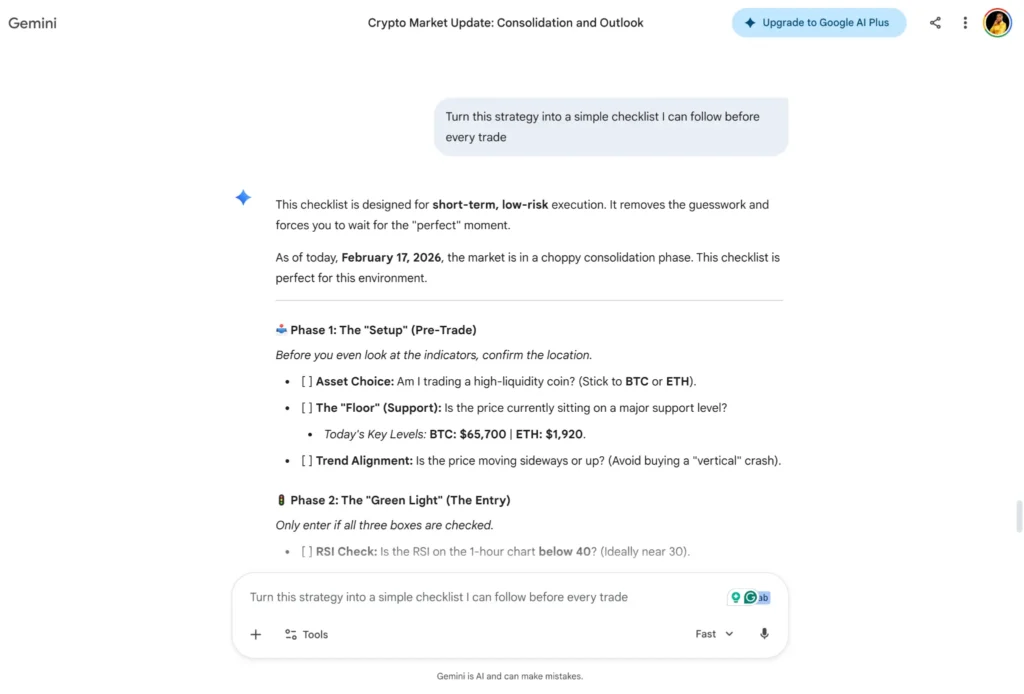
Convert the Strategy Into a Checklist
To trade with discipline, ask Gemini: “Turn this strategy into a simple checklist I can follow before every trade.” This helps you stay focused and consistent.
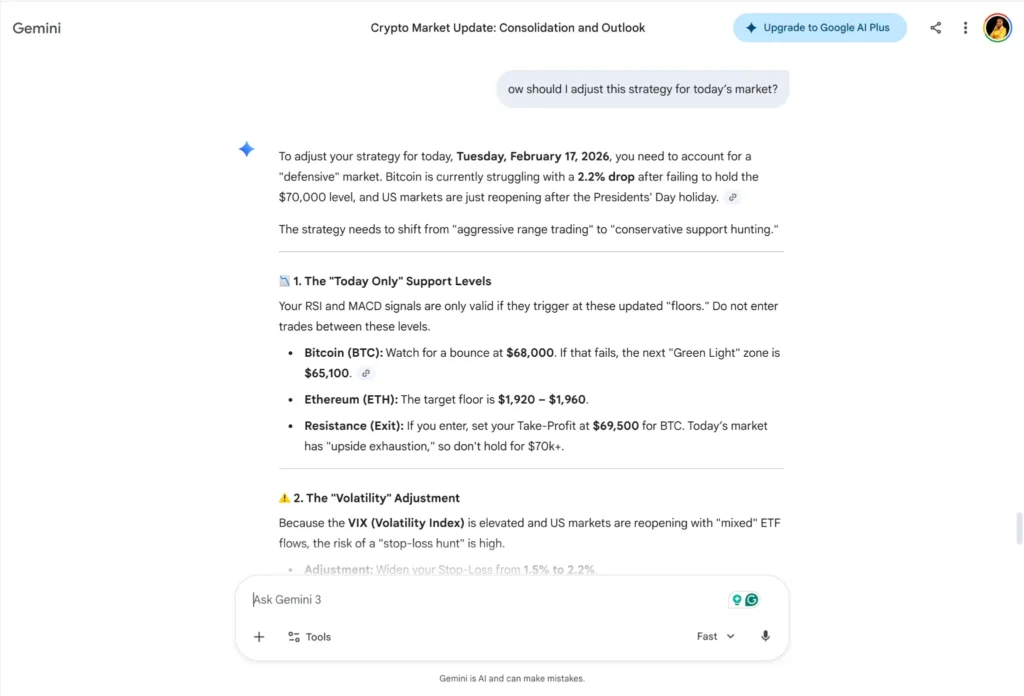
Update the Strategy Based on Market Conditions
Markets change. You can keep your strategy fresh by asking: “How should I adjust this strategy for today’s market?” Gemini will show you what to tweak without changing the whole plan.
Read Also: Free crypto mining sites.
Best Gemini Prompts for Crypto Traders
One of the biggest advantages of Google Gemini is that you can ask it direct questions and get quick, clear answers.
The right prompts help you read the market better, build strategies faster, and avoid costly mistakes.
Here are some of the best prompts crypto traders can use:
For Analysing Market Trends
- “Analyse this chart and tell me the trend, key levels, and possible next move.”
- “Explain the current market structure for Bitcoin in simple words.”
- “Is the market bullish, bearish, or ranging today? Summarise it for me.”
For Understanding Price Movements
- “Why is this coin pumping or dropping right now?”
- “Give me the main news affecting crypto today.”
- “Summarise the sentiment around Solana in one paragraph.”
For Entry and Exit Planning
- “Is this a good entry point based on the chart?”
- “Show me three possible exit strategies for this trade.”
- “Where should I put my stop-loss and take-profit?”
For Technical Indicator Explanations
- “Explain RSI, MACD, and EMA like I’m a beginner.”
- “What does a MACD crossover mean in this chart?”
- “Is the price overbought or oversold right now?”
For Building Strategies
- “Create a simple day-trading strategy using RSI and support/resistance.”
- “Build a swing-trading plan with clear entry and exit rules.”
- “Improve this strategy and make the rules clearer.”
For Risk Management
- “How much should I risk per trade if my account balance is $200?”
- “Create a risk management plan for a beginner trader.”
- “What are the possible risks in this trade?”
For Comparing Coins
- “Compare Bitcoin, Ethereum, and Solana and tell me which looks stronger today.”
- “Which altcoins are showing momentum right now? Summarise in 5 lines.”
- “Tell me the difference between long-term and short-term potential for XRP.”
For Learning Complex Concepts
- “Explain liquidation levels and how they affect price movements.”
- “Break down market manipulation in simple English.”
- “Explain support and resistance like I’m a complete beginner.”
For Daily Market Updates
- “Give me a short summary of the crypto market today.”
- “What key levels should I watch for Bitcoin this week?”
- “Highlight the top coins with unusual volume right now.”
For Trade Reviews
- “Review this trade and tell me what I did right and wrong.”
- “Help me improve my entry and exit timing.”
- “What lessons can I learn from this loss?”
Frequently Asked Questions
What are the biggest mistakes traders make when using AI tools?
The most common mistakes are: trusting AI blindly, using unclear prompts, ignoring risk management, and entering trades without confirmation from charts or market conditions.
Can Gemini help me create a trading strategy?
Yes. You can ask Gemini to create a beginner-friendly strategy using indicators like RSI, MACD, moving averages, and support/resistance — with clear entry, stop-loss, and take-profit rules.
What is the best way to use Gemini with TradingView?
Take a screenshot of your chart from TradingView, upload it to Gemini, and ask it to identify the trend, support/resistance zones, and possible entry/exit areas.
Can Google Gemini predict the next crypto price?
No. Gemini can analyse trends and explain possible scenarios, but it cannot predict exact future prices. Crypto is highly volatile, and sudden news can change everything.
Closing Thoughts
Google Gemini can make crypto trading feel less confusing because it can explain market moves in simple words, summarise news fast, and help you build a clear trading plan.
But it is important to remember that AI is a support tool, not a guarantee of profit. The market can still move unexpectedly.
If you want the best results, use Gemini alongside trusted tools such as TradingView for charts, CoinMarketCap or CoinGecko for coin data, and exchanges you already trust.
For secure storage (especially if you’re holding long-term), consider hardware wallets like Ledger or Trezor.
If you’re new to Gemini, you can start from the official Gemini app and keep up with updates on the official Gemini blog