



Most people already use Apple Wallet for their bank cards without thinking twice. The tap, pay, done experience is hard to beat. What a lot of crypto holders do not realize is that the same thing is possible with their crypto balance. Several crypto cards now connect directly to Apple Wallet, which means any contactless terminal that accepts Apple Pay can become a place to spend your digital assets.
The catch is that not every crypto card supports this, and the setup process varies by card. This guide walks you through which cards actually work with Apple Wallet, how to get yours added without the guesswork, and what you need to do to keep your spending secure once everything is set up.
Key Takeaways
- Users can add compatible cryptocurrency cards to Apple Wallet, expanding payment options and streamlining transactions.
- To do this, check compatibility, add the virtual card to Apple Wallet, test functionality, and monitor transactions for security and accuracy.
- Explore notable crypto payment brands like UPay, Coinbase Card, Crypto.com Visa Card, Wirex Card, BitPay Card, Binance Card, and Gemini Card.
- Choose reputable apps, enable two-factor authentication, keep software updated, use strong passwords, backup your wallet, and stay updated on regulations.
Also Read: Anonymous Crypto Cards
Understanding Cryptocurrency Cards
Cryptocurrency cards work similarly to regular debit or credit cards, but instead of using traditional money from a bank, you’re using digital currencies like Bitcoin or Ethereum.
They are linked to your digital currency accounts. They let you use your digital money to buy things just like you would with a regular debit or credit card.
There are different types of cryptocurrency cards, but they all do the same thing—help you spend your digital money. Some cards are physical, like a regular bank card, while others are virtual and exist only in digital form.
Cryptocurrency cards work by loading your digital money onto the card, just like you would add money to a gift card. When you want to buy something, you use the card like you would use any other card, swiping it or entering the card details online. The store gets paid with your digital money, and you get your purchase, just like that.
Features and Functionalities of Apple Wallet
Apple Wallet comes pre-installed on iPhones and Apple Watches. It’s designed to store digital versions of cards, tickets, passes, and more, so you don’t have to carry them around physically. It also supports contactless payments through Apple Pay, allowing you to make transactions with just a tap of your device.
Apple Wallet supports a range of payment methods, including credit and debit cards from major banks and financial institutions. It also integrates with Apple Cash, a feature that lets you send and receive money through iMessage.
With Apple Wallet, you can leave your physical wallet at home and still have access to all your important cards and passes. It’s convenient for making quick and secure payments without needing to dig through your bag or pockets for your wallet or cards.
Can You Add a Crypto Card to Apple Wallet?
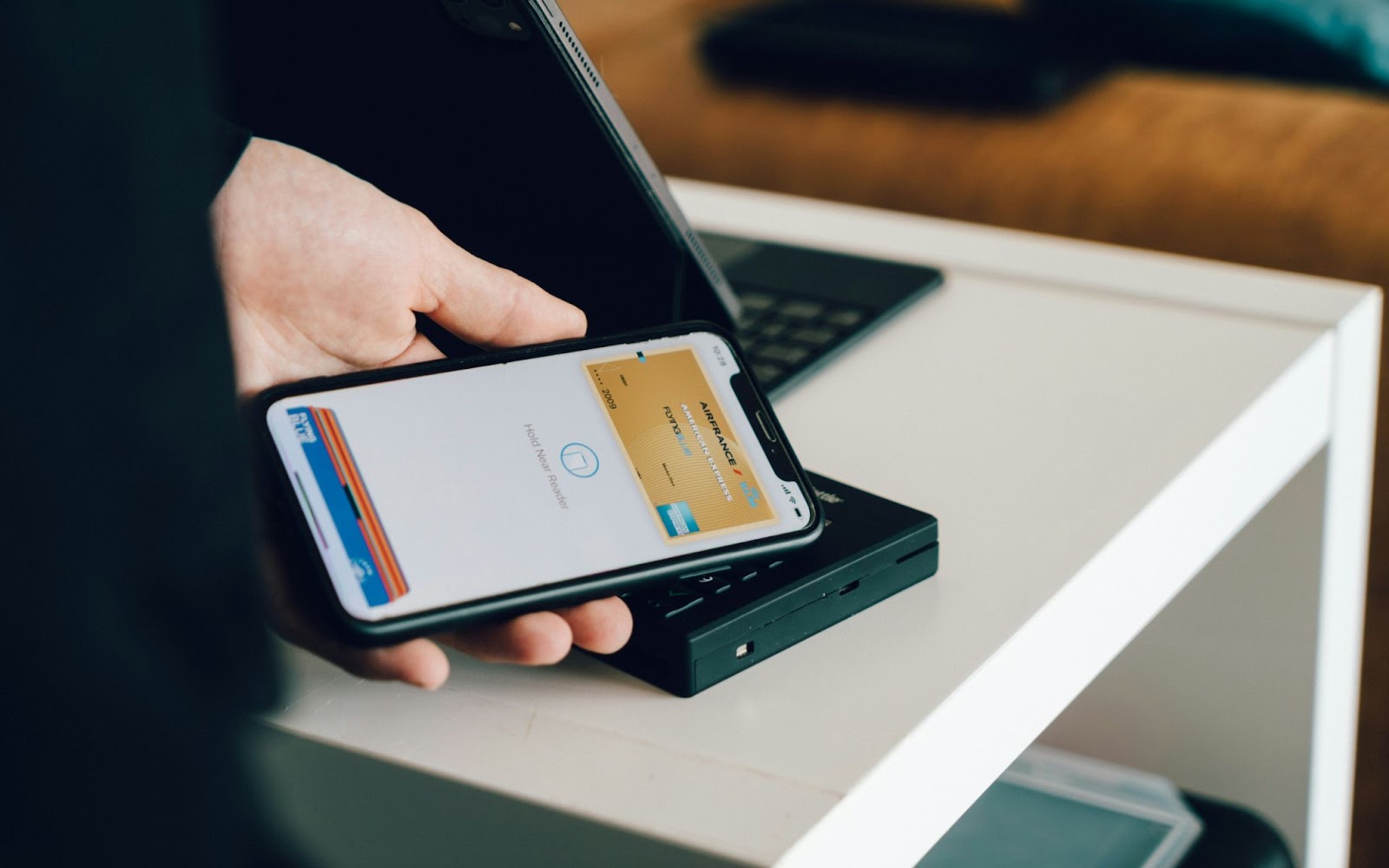
Yes. Apple Wallet allows users to add various types of cards, including credit, debit, and prepaid cards, as well as crypto cards. Apple Wallet has historically supported traditional payment cards issued by banks and financial institutions. Over time, the range of supported cards has expanded to include additional types, such as transit cards and student ID cards.
Read Also: The Ultimate Guide to Anonymous Crypto Wallets in 2025
Steps to Add a Crypto Card to Apple Wallet
To integrate your cryptocurrency card into Apple Wallet for streamlined management of your digital assets, follow this step-by-step guide:
Check for Compatibility
Before attempting to add your cryptocurrency card to Apple Wallet, verify whether your card is compatible with the platform. Review any requirements or restrictions imposed by the card issuer or the Apple Wallet app.
Adding the Virtual Card to Apple Wallet
Open the Apple Wallet app on your device. Look for the option to add a new card and select it. Follow the on-screen prompts to add a new card manually. Enter any additional information required to verify and authenticate the card.
Once the virtual card is successfully added to Apple Wallet, you can begin using it for transactions at supported merchants and platforms.
Testing and Troubleshooting
Perform a test transaction using your cryptocurrency card through Apple Wallet to ensure functionality and compatibility. Monitor for any issues or discrepancies during the transaction process and troubleshoot as needed.
Contact the customer support teams of the card issuer for assistance with any technical or operational challenges encountered.
Verification
Once the virtual card is successfully added to Apple Wallet, verify that it appears alongside your other cards and passes within the app. Test the functionality of the virtual card by attempting to make a transaction at a supported merchant or online retailer.
Monitoring and Maintenance
Regularly monitor your virtual card transactions within Apple Wallet to ensure security and accuracy. Stay informed about any updates or changes to the third-party app or cryptocurrency card provider to maintain compatibility and functionality.
Popular Cryptocurrency Cards Compatible with Apple Wallet
Here’s an overview of noteworthy crypto payment brands:
UPay Crypto Card
UPay isn’t just a crypto wallet; it’s a bridge between your crypto holdings and everyday purchases. It allows you to spend your cryptocurrency directly, similar to using a debit card. It is convenient and globally acceptable, just like a traditional Mastercard or Visa (depending on the card you choose). UPay boasts low fees, including deposit charges as low as 1% and zero annual fees.
Coinbase Card
The Coinbase Card is a Visa debit card that allows users to spend cryptocurrencies stored in their Coinbase account.
While the Coinbase Card itself cannot be added to Apple Wallet, the Coinbase app offers integration with Apple Pay, allowing users to make payments using their Coinbase Card through their Apple device.
Crypto.com Visa Card
The Crypto.com Visa Card offers various tiers with benefits such as cashback rewards and airport lounge access, all funded with cryptocurrency.
While the physical Crypto.com Visa Card can’t be added to Apple Wallet, the Crypto.com app supports Apple Pay, enabling users to make payments with their Crypto.com Visa Card using their iPhone or Apple Watch.
Wirex Card
The Wirex Card is a multi-currency Visa card that allows users to spend both traditional fiat currencies and cryptocurrencies.
While the Wirex Card itself cannot be added to Apple Wallet, the Wirex app supports Apple Pay, enabling users to make payments with their Wirex Card using their Apple device.
BitPay Card
The BitPay Card is a prepaid Mastercard that allows users to load funds using Bitcoin and other cryptocurrencies.
While the physical BitPay Card cannot be added to Apple Wallet, the BitPay app supports Apple Pay, enabling users to make payments with their BitPay Card using their iPhone or Apple Watch.
Binance Card
The Binance Card is a Visa debit card that allows users to spend cryptocurrencies stored in their Binance account.
While the physical Binance Card cannot be added to Apple Wallet, the Finance app supports Apple Pay, allowing users to make payments with their Binance Card through their Apple device.
Gemini Card
The Gemini Card is a credit card offered by Gemini, a popular cryptocurrency exchange.
While the Gemini Card itself cannot be added to Apple Wallet, users can link their Gemini account to third-party apps that support Apple Pay for making payments using their Gemini Card through their Apple device.
Benefits of Using a Crypto Card Through Apple Wallet
- Contactless payments at NFC terminals: Anywhere that accepts tap-to-pay contactless payments, your crypto card can now be used without taking a physical card out of your pocket.
- Speed at checkout: Double-clicking the side button and authenticating with Face ID takes under two seconds. It is faster than any other payment method at a physical terminal.
- Tokenised security: As noted above, Apple Pay never transmits your real card number. Every transaction uses a one-time code that cannot be reused, which significantly reduces the risk of card skimming or interception.
- One less physical card to carry: With your crypto card in Apple Wallet, you do not need to carry the physical card for everyday spending. Your phone handles it.
- Apple Watch support: If you have an Apple Watch paired to your iPhone, your card is also available for tap-to-pay directly from your wrist, without taking your phone out at all.
Risks of Adding Crypto Cards to Apple Wallet
Here are the potential risks of adding crypto cards to your Apple Wallet:
- Security Concerns: Third-party apps used to link cryptocurrency cards with Apple Wallet may pose security risks, such as data breaches or unauthorised access to cryptocurrency accounts.
- Regulatory Uncertainty: The regulatory landscape surrounding cryptocurrencies is continually evolving, and integrating cryptocurrency cards with Apple Wallet may raise compliance concerns or legal issues in some jurisdictions.
- Volatility and Market Risks: Cryptocurrency markets are known for their volatility, and using cryptocurrency cards for everyday transactions exposes users to the risk of price fluctuations, potentially impacting the value of their digital assets.
Alternatives to Adding Crypto Cards to Apple Wallet
If you’re interested in managing your cryptocurrency holdings but prefer not to add crypto cards to your Apple Wallet, there are several alternative options available. Let’s look into some alternatives:
Dedicated Cryptocurrency Wallets
Consider using dedicated cryptocurrency wallet apps available on the App Store, such as Coinbase, Trust Wallet, or Exodus, to store and manage your digital assets.
These wallets offer features tailored specifically for cryptocurrencies, including secure storage, portfolio tracking, and support for a wide range of digital currencies.
Hardware Wallets
For enhanced security, hardware wallets like Ledger Nano S, Trezor, or KeepKey provide offline storage solutions for safeguarding your cryptocurrency keys.
Hardware wallets offer protection against online threats such as hacking and malware, making them ideal for long-term storage of large cryptocurrency holdings.
Crypto Payment Apps
Explore cryptocurrency payment apps like Upay, BitPay, Crypto.com, or Wirex, which allow you to spend your digital currencies directly at merchants that accept cryptocurrency payments.
These apps typically provide virtual or physical debit cards linked to your cryptocurrency balances, offering a convenient way to make purchases without the need for traditional banking services.
Peer-to-Peer Transactions
Consider engaging in peer-to-peer transactions using platforms like LocalBitcoins or Paxful, where you can buy and sell cryptocurrencies directly with other individuals.
Peer-to-peer transactions offer greater privacy and control over your digital assets, as they bypass centralised exchanges and third-party intermediaries.
Decentralised Finance (DeFi) Platforms
Access decentralised finance platforms like Uniswap, Compound, or Aave, which allow you to earn interest, borrow, lend, and trade cryptocurrencies directly from your Apple device.
DeFi platforms operate on blockchain networks and offer innovative financial services without the need for traditional banks or intermediaries.
Cryptocurrency Exchange Apps
Utilise cryptocurrency exchange apps like UEEx, Binance, Kraken, or Gemini to buy, sell, and trade digital currencies directly from your Apple device.
These apps provide access to a wide range of cryptocurrencies and trading pairs, allowing you to diversify your portfolio and take advantage of market opportunities.
Tips for Using Crypto Cards with Apple Wallet

If you’re considering using cryptocurrency cards with your Apple Wallet, it’s essential to take some precautions to ensure a smooth and secure experience. Here are some tips to help you make the most of your crypto cards:
Choose Reputable Apps
Before linking your cryptocurrency accounts to any third-party apps for integration with Apple Wallet, research and choose reputable apps with a track record of security and reliability.
Enable Two-Factor Authentication
Strengthen the security of your cryptocurrency accounts by enabling two-factor authentication (2FA) wherever possible. This adds an extra layer of protection against unauthorized access.
Keep Software Updated
Regularly update the software on your Apple device, as well as any third-party apps used for managing cryptocurrency cards. Software updates often include important security patches and bug fixes.
Use Strong Passwords
Create strong, unique passwords for your cryptocurrency accounts and the apps used for integration with Apple Wallet. Consider using a password manager to securely store and manage your passwords.
Monitor Account Activity
Keep a close eye on your cryptocurrency accounts and transaction history. Report any suspicious or unauthorised activity to the app provider and take appropriate action to secure your accounts.
Limit Exposure
Consider keeping only a portion of your cryptocurrency holdings on your linked accounts for day-to-day spending. Store the majority of your digital assets in secure offline storage solutions like hardware wallets or cold storage.
Be Mindful of Fees
Pay attention to any fees associated with using cryptocurrency cards, such as transaction fees, conversion fees, or account maintenance fees. Compare fees across different cards and apps to find the most cost-effective option.
Educate Yourself
Take the time to educate yourself about cryptocurrencies, blockchain technology, and best practices for managing digital assets. Stay informed about the latest developments and security threats in the cryptocurrency space.
Backup Your Wallet
If your cryptocurrency wallet offers a backup option, make sure to create and securely store a backup of your wallet’s recovery phrase or private keys. This ensures that you can regain access to your funds if your device is lost or damaged.
Stay Updated on Regulations
Stay informed about the regulations surrounding cryptocurrencies and digital assets in your jurisdiction. Be aware of any legal requirements or restrictions that may impact the use of cryptocurrency cards and Apple Wallet integration.
Final Thoughts
Adding Cryptocurrency Cards to Apple Wallet takes only a few minutes once you have confirmed compatibility and have your virtual card details ready. The process is the same as adding any standard card, and the result is contactless tap-to-pay access to your crypto balance at any NFC-enabled merchant. UPay, Coinbase Card, Crypto.com, Wirex, Nexo, and Binance Card all currently support Apple Pay, making them the strongest options for users who want this capability. Follow the security best practices above from day one and your setup will be both convenient and well-protected.
Frequently Asked Questions
Which crypto cards are compatible with Apple Wallet?
The most widely used crypto cards that currently support Apple Pay include UPay, Coinbase Card, Crypto.com Visa Card, Wirex, Nexo Card, and Binance Card. All of these run on the Visa or Mastercard network, which is a prerequisite for Apple Wallet compatibility. Availability can vary by country, so check your card provider’s current documentation for your specific region before setting up.
What are the best practices for adding a cryptocurrency spending card to a digital wallet?
Use a strong, unique password and enable two-factor authentication on your card provider account. Set up Face ID or Touch ID for Apple Pay authentication. Keep your iOS and provider app updated. Enable real-time transaction notifications. Use your card’s freeze feature immediately if you notice anything suspicious. Keep your seed phrase and private keys offline and never on your device. Be aware that spending crypto through a card may be a taxable event in your jurisdiction.
Can I add more than one crypto card to Apple Wallet?
Yes. Apple Wallet supports multiple cards at the same time, and there is no limit to how many you can add. You can have a UPay card, a Coinbase Card, and a Crypto.com card all stored in the same wallet and switch between them at checkout. You can set one as your default card, which is the one Apple Pay uses automatically when you double-click the side button. To pay with a different card at checkout, tap the default card on the Apple Pay screen before holding your phone to the terminal and select the card you want to use instead.
What happens to my crypto card in Apple Wallet if I lose my iPhone?
Your funds are not stored on your phone, so losing your device does not give anyone access to your crypto balance. Apple Wallet uses tokenisation, meaning the device stores a digital token, not your actual card number or crypto. If you lose your iPhone, you should immediately use Apple’s Find My feature to remotely lock or erase the device. You should also log into your crypto card provider’s app from another device and freeze your card as a precaution. Once you have a replacement phone, you can re-add your card to Apple Wallet by going through the same setup process again.
Why is my crypto card not working in Apple Wallet after I added it?
There are a few common reasons. The most frequent is a network mismatch: some crypto cards require you to select a specific blockchain network when funding your card, and an incorrect selection can cause payment failures. Another common cause is an incomplete verification step during setup. Check your card provider’s app for any pending actions or alerts. It is also worth confirming that Apple Pay is supported in your specific country by both Apple and your card issuer, as regional availability differs. If everything looks correct but the card still fails, contact your card provider’s support team directly, as the issue is almost always on the issuer side rather than with Apple Wallet itself.
Does adding a crypto card to Apple Wallet affect my card’s spending limits?
No. Adding your card to Apple Wallet does not change the spending limits set by your card provider. Your limits are determined entirely by your provider based on your account tier and verification level. What Apple Wallet does affect is the convenience of spending up to those limits, since you can now tap to pay anywhere instead of being limited to merchants where you have the physical card. If you need higher spending limits, that is handled through your crypto card provider’s app by upgrading your account tier or completing additional verification steps.